How to do GTD with ChatGPT (and why the lists keep disappearing)
ChatGPT clarifies a brain dump into GTD lists and runs a good weekly review, then forgets the lists in the next chat. The prompts that work, the exact failure with screenshots, and how to give it a real board through the GTD Brain app for ChatGPT or the Claude connection.
Start free for a month →No charge for your first month · Cancel anytime
On this page
The short version: ChatGPT is a very good GTD coach and a very bad GTD list. Paste in a brain dump and it will clarify it into next actions by context, projects with a first step, a waiting-for list and a someday list, better than most people manage on their own. Then close the tab, and tomorrow it will not know what was on your @calls list. If you want to do Getting Things Done with ChatGPT, the setup is: use it for the thinking steps (clarify, weekly review), keep your lists somewhere it can read and write, and connect the two. The rest of this guide is that setup, with screenshots, and then where it breaks.
Step 1: the brain dump, and the prompt that sorts it
Open a new chat and type everything on your mind, unsorted, in one message. Then ask for GTD lists explicitly. This prompt does it:
Act as my Getting Things Done coach. Sort this brain dump into GTD lists: Next Actions grouped by context (@calls, @computer, @errands, @home), Projects with the outcome and the very next action, Waiting For, and Someday/Maybe. Keep it short. Dump: dentist said something about a crown, passport expires next spring, Sam still owes me the invoice payment I asked about on 12 Sep, idea: learn to make sourdough, kitchen tap drips and the landlord has not replied since 9 Sep, garage is full and the bikes have nowhere to go, bank charged a card fee I do not understand.
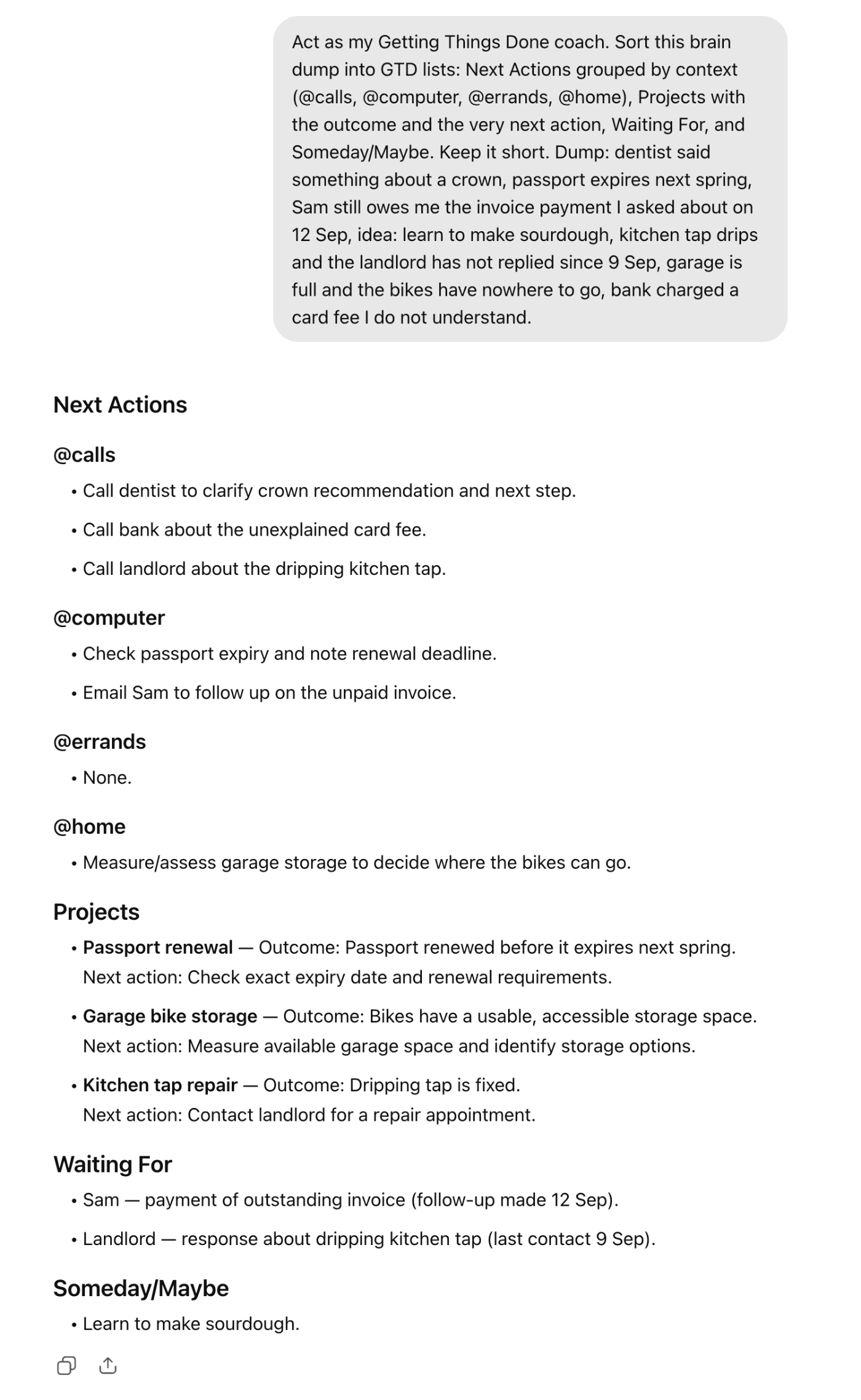
That answer is the clarify step of GTD, the one most people skip because it is tedious. “Dentist said something about a crown” became a call, “kitchen tap drips” became a project with a first action and a waiting-for entry against the landlord with the date, and the sourdough idea went to Someday where it belongs. ChatGPT does this well because it is a language task: read a messy note and name the real action hiding in it.
Step 2: keep the lists in the chat, for now
The simplest way to keep going is to stay in the same conversation. Tell it what you did (“called the dentist, crown fitting is 3 October”), add new captures as they come, and ask for the updated lists whenever you want to see them. Ask for the @errands list before you leave the house. Ask “who am I waiting on and for how long” on Friday. Inside one chat, it keeps track well enough for a few days of normal life.
Two habits make this less fragile. Name the chat something like “GTD lists” so you can find it, and every few days ask for “the full current lists, nothing else” so the latest complete version is the newest message rather than scattered over a week of updates.
Step 3: the weekly review is where it is genuinely good
The weekly review is a conversation, which is the one thing a chat is made for. Paste your current lists (or, if you are still in the same chat, just ask) and use this:
Run my GTD weekly review with me. Go project by project: for each one ask me whether it is still live and confirm it has a next action in a context list. Then go through Waiting For and tell me what is older than a week. Then Someday/Maybe: ask if anything should be promoted. Ask one question at a time and wait for my answer.
Being asked “is the garage project still live?” by something that then waits for your answer is closer to a real review than reading a list on your own. It is also the only part of this setup that gets better the more you use it, because you can tell it how you like to be asked.
Where it breaks
Open a new chat and ask what is on your @calls list. The answer, word for word: “I can't access your @calls list in this chat. If you paste the list here, I can tell you what's on it.” ChatGPT's memory can keep facts about you between chats, but it is not a database: it will remember that you use GTD and maybe that you have a passport project, and it will not reliably hold a list of nine actions in four contexts, let alone whether you ticked one off yesterday.
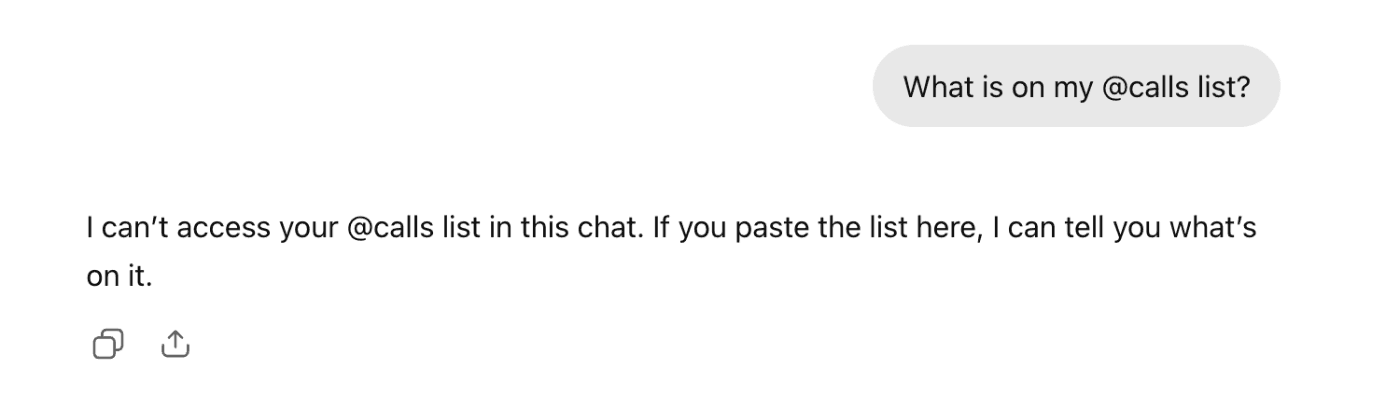
So in practice you become the database. You paste the lists back in, or you scroll up in an old chat to find the last full version, or you keep them in a notes app and paste them into every session. There is no checkbox, no phone notification when you are near the hardware shop, and nothing stops a long chat from dropping an item or inventing one. This is the part people mean when they say they tried GTD with ChatGPT and it fell apart after two weeks: the coaching was fine, the lists evaporated.
Step 4: give it a real board
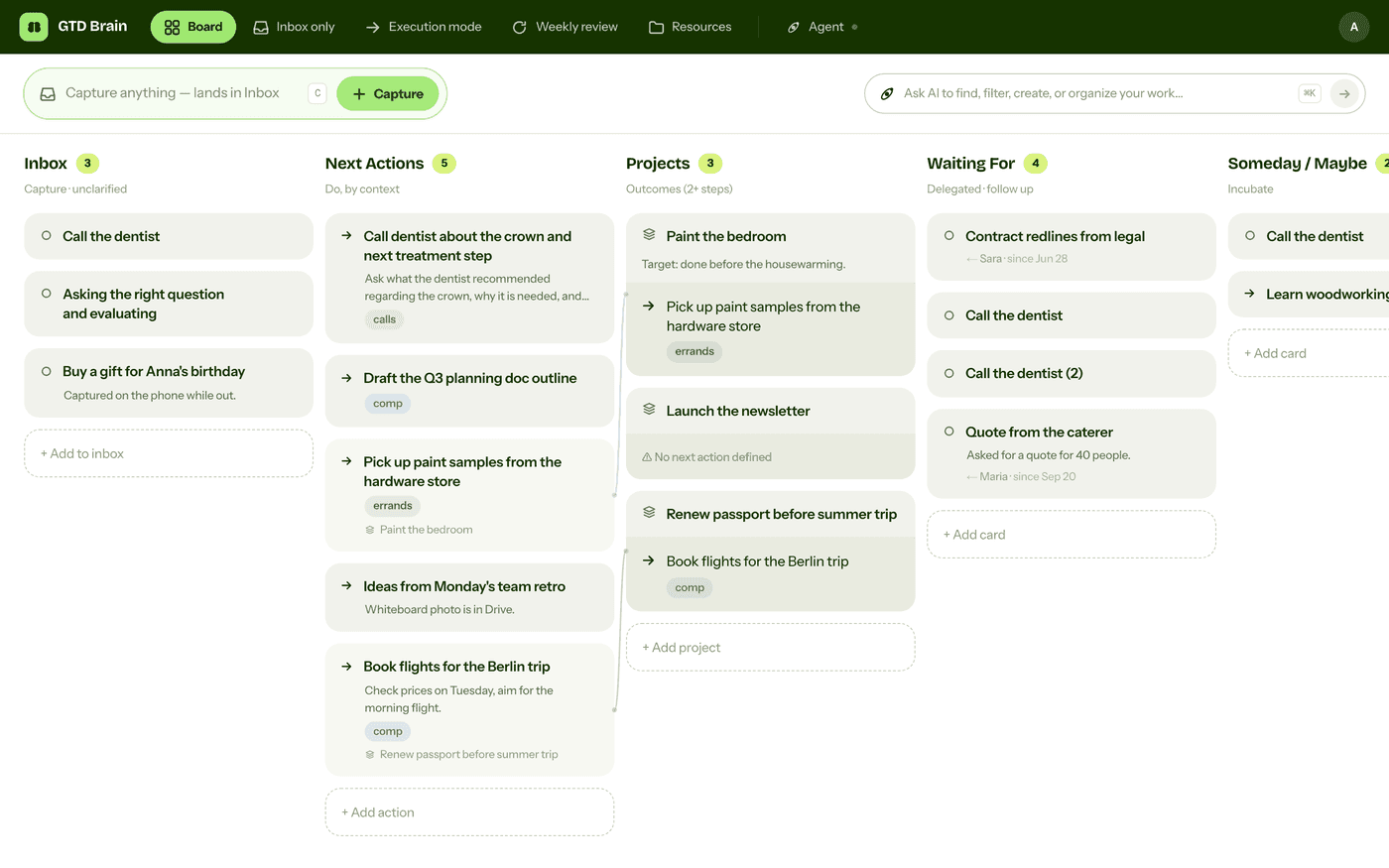
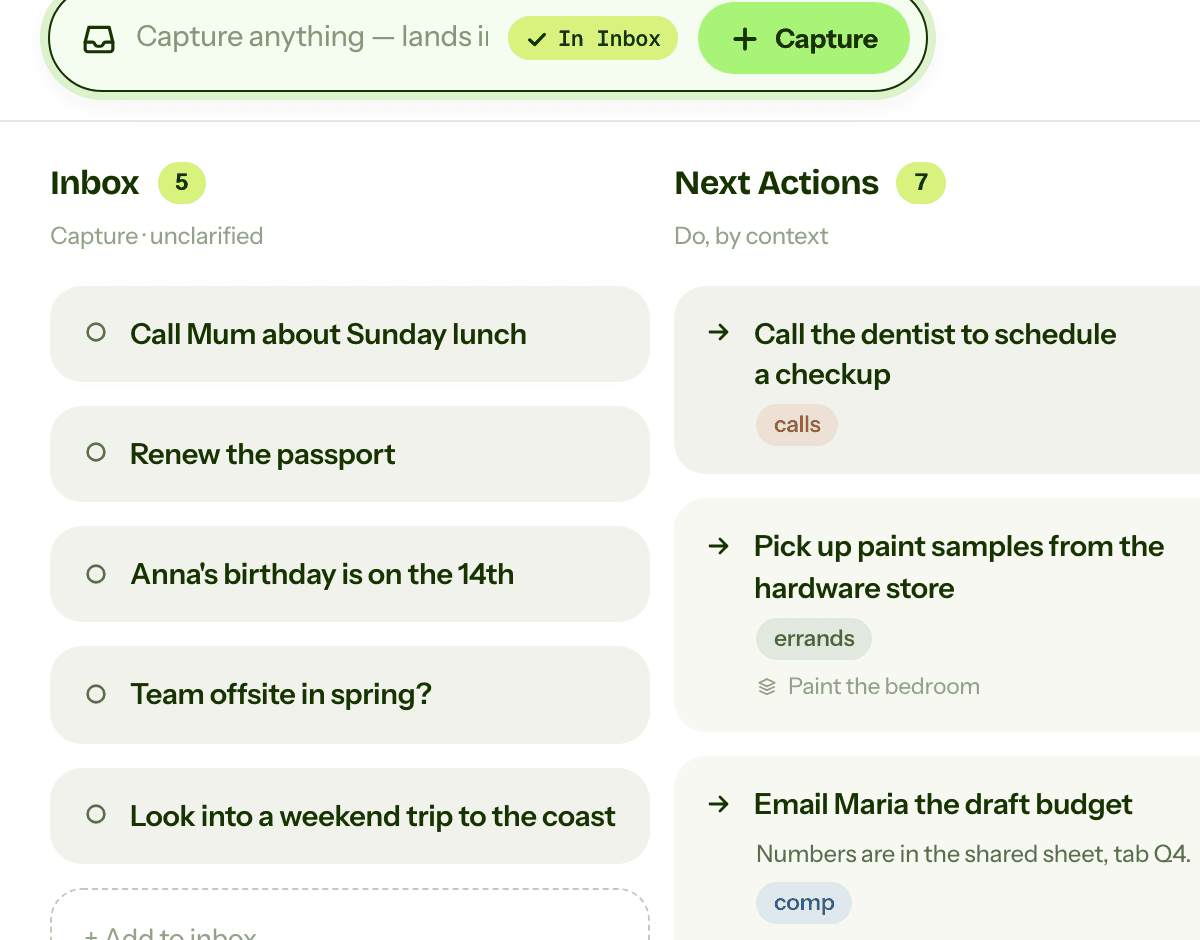
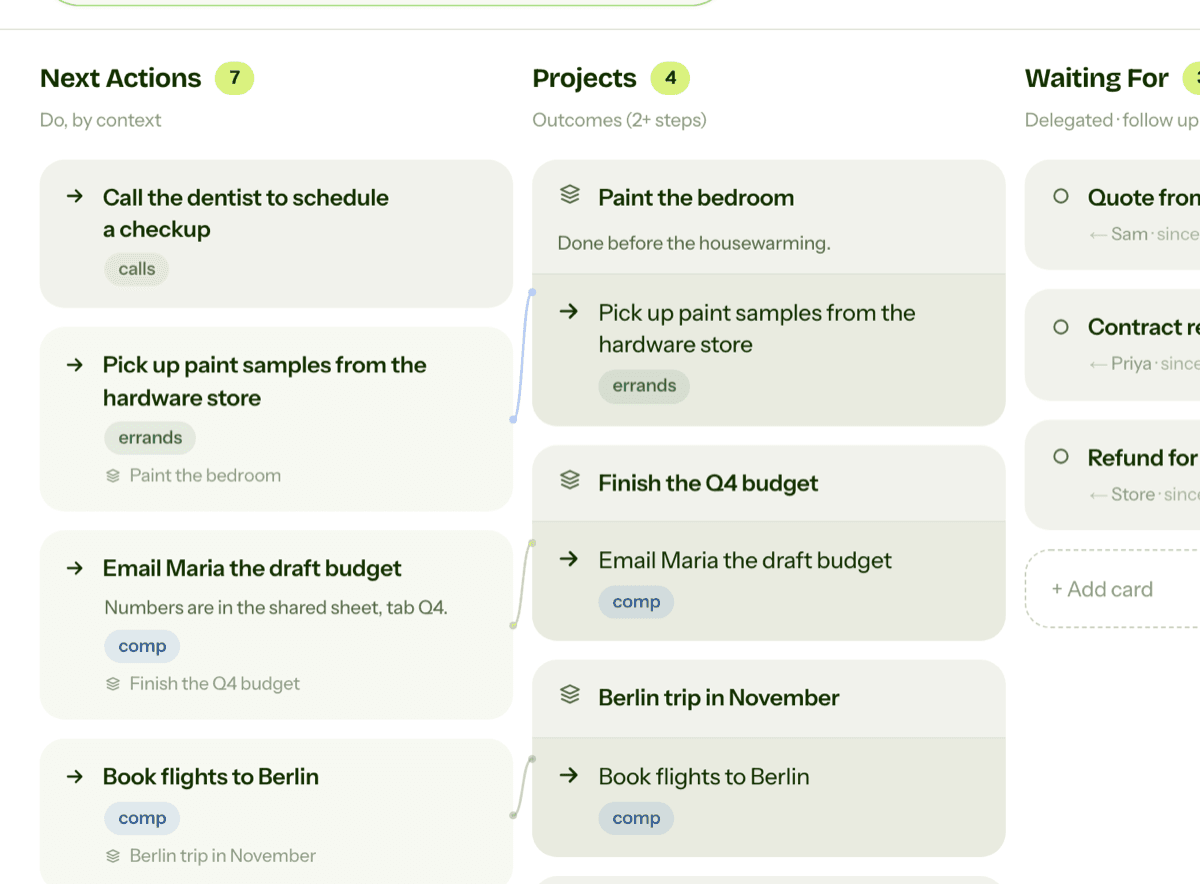
The fix is to keep the lists in a tool ChatGPT can read and write, and let the chat do what it is good at. GTD Brain is one such tool: a Getting Things Done board with the GTD lists built in, and it is a published app in ChatGPT's app directory. Once it is connected, “add the tap washer to my errands” creates a card on the board, “who am I waiting on” shows the Waiting For list inline in the chat, and the same board is on your phone with the checkbox and the notification. The chat no longer holds your lists; it just talks to them.
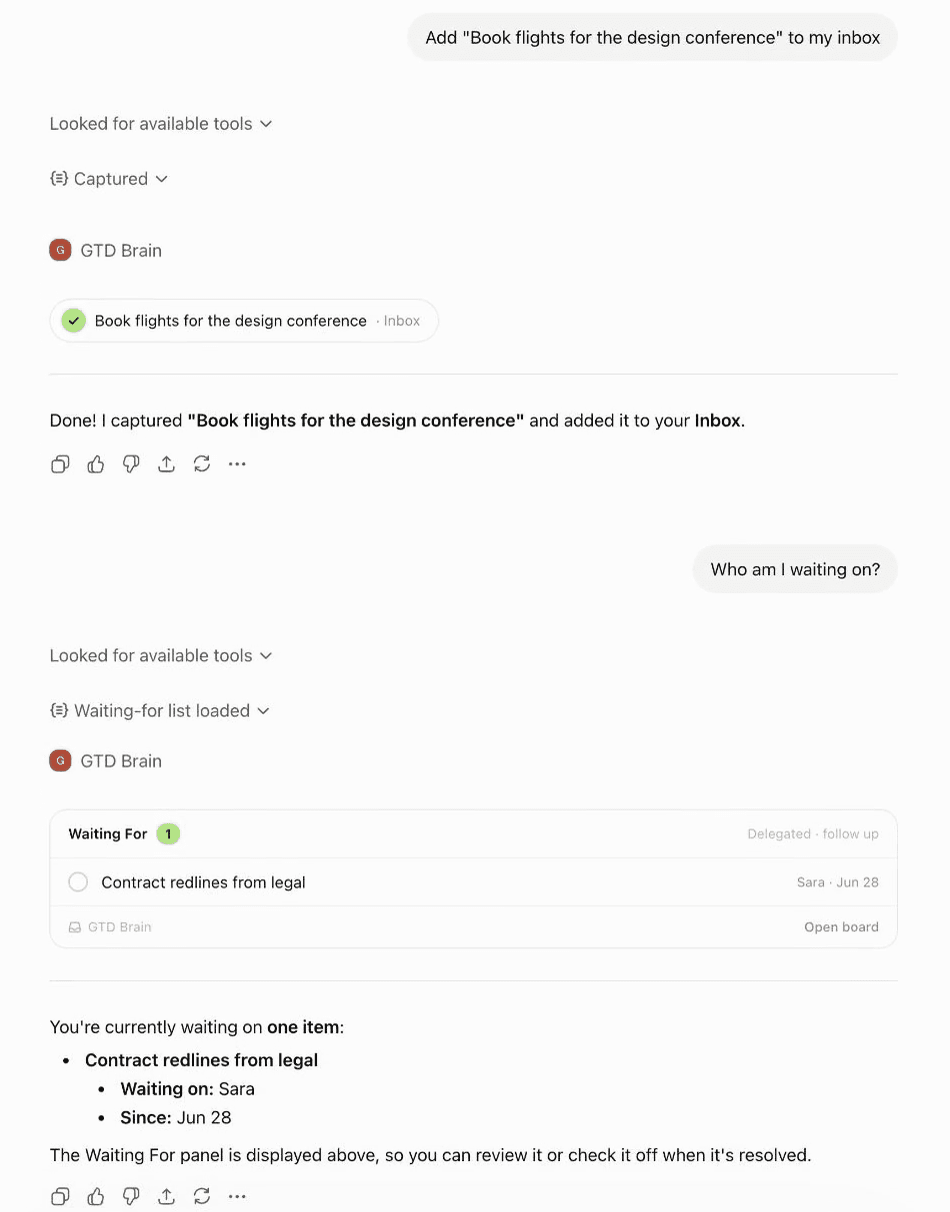
Setup is a few minutes: find GTD Brain in ChatGPT's app directory, or add it as a connector with the address on the ChatGPT connection guide, then sign in with an email code. The same board works from Claude too, either as a connector (guide) or through the GTD Brain plugin for Claude, which adds an inbox-zero and a weekly-review skill on top of the connection. Whatever you change from either assistant lands on the same board.
With the board in place, the weekly review prompt above becomes just “help me run my weekly review”: the assistant reads the projects, finds the ones with no next action, sees how long each waiting-for card has been sitting, and asks you about them one at a time. That is the version of GTD with ChatGPT that survives past week two.
If you want the method without the workarounds
Everything above is real GTD, and plenty of people run it in a chat window for years. I built GTD Brain for the parts that keep breaking: it is a board with the GTD lists built in (Inbox, Next Actions with contexts, Projects, Waiting For, Someday), a built-in agent that clarifies your inbox into next actions, and a guided weekly review that walks you through the whole board card by card. The same board is on the iPhone app, the Android app and the web, and you can talk to it from ChatGPT, Claude and other assistants through the assistant connections.
You sign in with an email code, no password. The yearly plan starts with a free month and you can cancel before it bills. If you have read this far, you already know how the lists work, so the setup takes about two minutes: sign in at gtdbrain.com and do your first brain dump into the inbox.
Questions people ask
Can ChatGPT do GTD?
Partly. ChatGPT is good at the thinking steps: paste a brain dump and it sorts it into next actions by context, projects with a first step, a waiting-for list and a someday list, and it runs a solid weekly review as a conversation. What it cannot do on its own is keep the lists — a new chat has no access to what the last one produced.
Why does ChatGPT forget my GTD lists?
Because a chat is not a database. ChatGPT's memory keeps facts about you between conversations, but it will not reliably hold nine actions in four contexts, or whether you ticked one off yesterday. Ask a fresh chat for your @calls list and it answers that it cannot access the list in this chat. The lists live in the old conversation and nowhere else.
What is the best prompt to sort a brain dump into GTD lists?
Type everything on your mind, unsorted, in one message, and ask explicitly for GTD lists: "Act as my GTD coach. Sort this brain dump into GTD lists: Next Actions grouped by context (@calls, @computer, @errands, @home), Projects with the outcome and the very next action, Waiting For, and Someday/Maybe. Keep it short." One message in, a clarified set of lists out.
How do you give ChatGPT a real GTD board?
Keep the lists in a tool ChatGPT can read and write. GTD Brain is a published app in ChatGPT's app directory: connect it, sign in with an email code, and "add the tap washer to my errands" creates a card while "who am I waiting on" shows the Waiting For list inline. The same board is on your phone, and works from Claude through the same connection.
Start free for a month →No charge for your first month · Cancel anytime