What are Next Actions in GTD? How to write them and work from contexts
Next Actions is the GTD list you work from: one visible, verb-first step per item, each with a context such as @calls or @errands. What belongs on it, how clarifying the Inbox fills it, the weekly check, and the same list in GTD Brain.
Start free for a month →No charge for your first month · Cancel anytime
On this page
In GTD (Getting Things Done), a next action is the very next physical, visible thing you can do to move something forward. “Call the dentist to book a checkup” is a next action. “Dentist” isn't. The Next Actions list holds every one of these steps, each tagged with a context such as @calls or @errands, which says where or with what you can do it. It is the list you actually work from during the day.
What makes a good next action
Start with a verb, and make it something you could do right now if you were in the right place. Compare these:
- “Car” becomes “Call the garage to book the car service”.
- “Mum's birthday” becomes “Buy a birthday card for Mum”.
- “Q4 budget” becomes “Draft the Q4 budget outline”.
The test David Allen gives is simple: could you see someone doing it? “Plan the trip” fails, because nobody can watch you plan. “Check the passport expiry date” passes. When an action is vague, you put it off, because you first have to work out what it means. Doing that thinking once, when you write the action, is the whole point.
What doesn't belong on the list
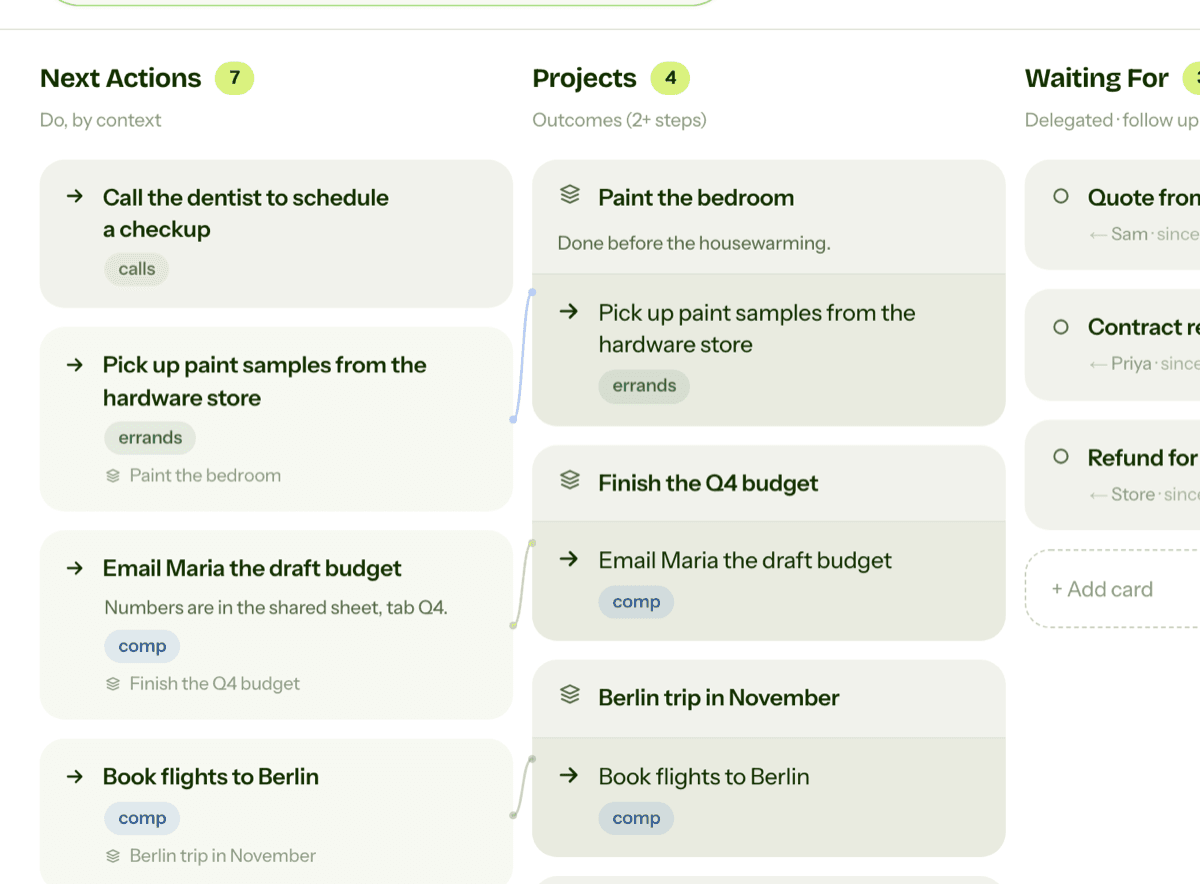
Outcomes that take more than one step are projects, not next actions. “Paint the bedroom” goes in Projects, and only its first step, “Pick up paint samples from the hardware store”, goes in Next Actions. Things you are waiting on from someone else go in Waiting For. Ideas for one day go in Someday/Maybe, and notes you only want to keep go in Reference.
Appointments and anything that must happen on a set day belong on your calendar. The Next Actions list is for things you can do whenever you have the time and the right context.
How items get there: the clarify step
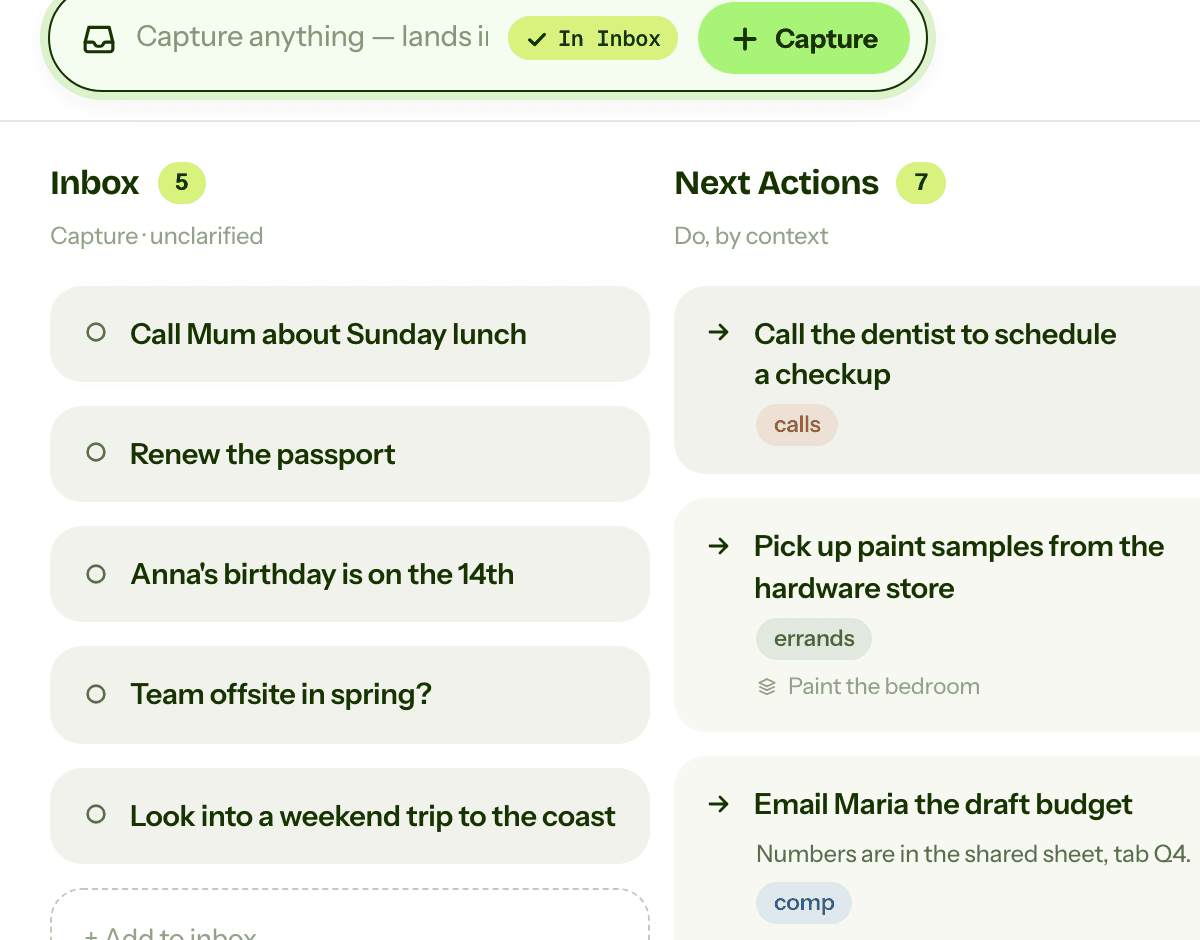
Next actions come out of the Inbox. When you clarify an item, you ask whether it's actionable and what the very next step is. If that step takes under two minutes, you do it straight away. If it's yours to do later, you write it verb-first, give it a context, and move it to Next Actions. If the item needs several steps, the outcome goes to Projects and its first step comes here, linked to the project.
Working from contexts
Contexts are what make the list usable. When you are out, you look at @errands and see everything you can do on the way. At your desk, you look at @computer. With ten minutes and a phone, you look at @calls. You never scroll past things you can't do from where you are. Choose by context first, then by how much time and energy you have, and then by what matters most.
Reviewing your next actions
Glance at the list whenever you have time to do something. Once a week, in the weekly review, go through it properly. This is part of “Get Current”: tick off what's done, drop what no longer matters, and make sure every active project has at least one next action. A project with no next action is stuck, because nothing tells you what to do about it.

Next Actions in GTD Brain
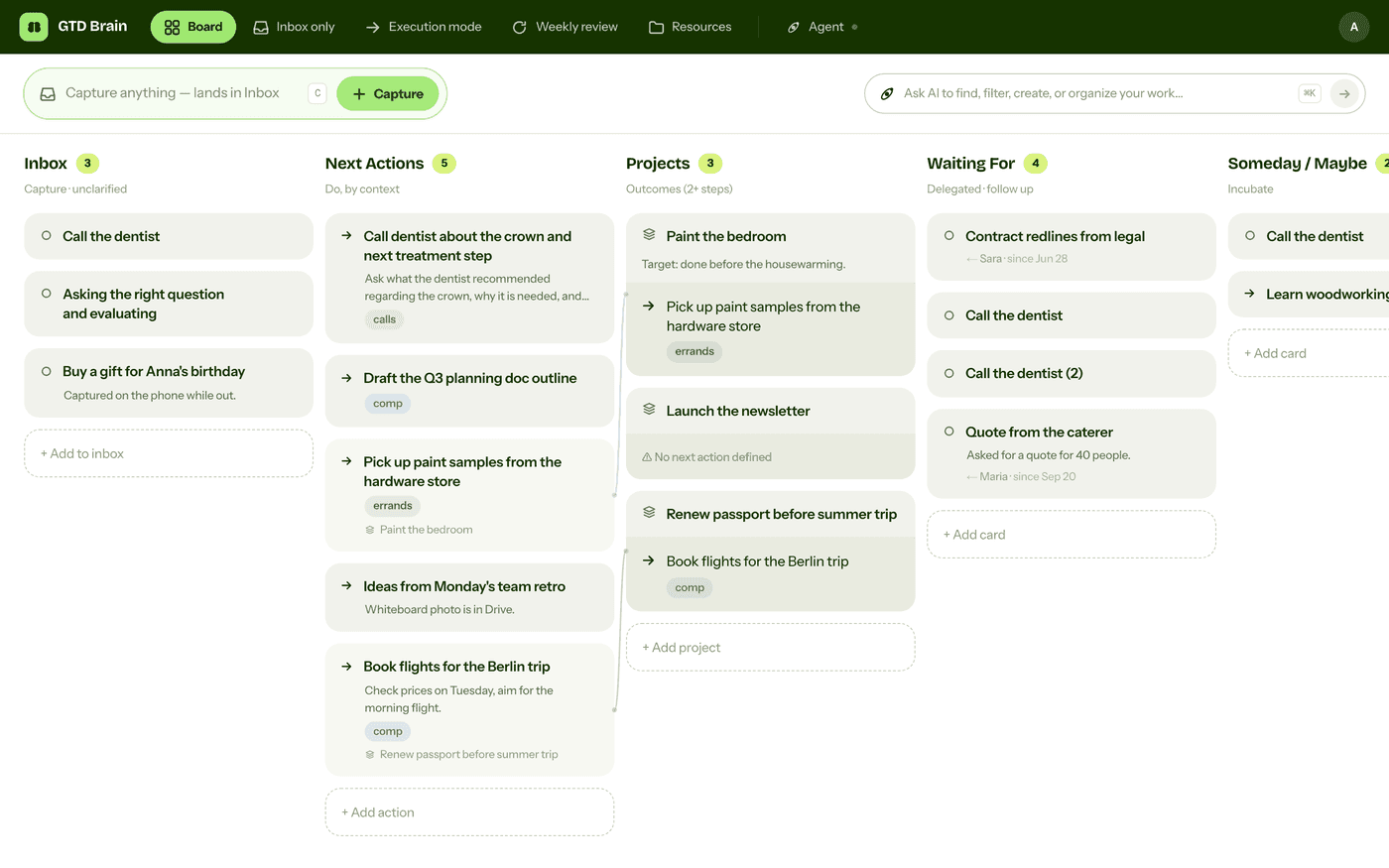
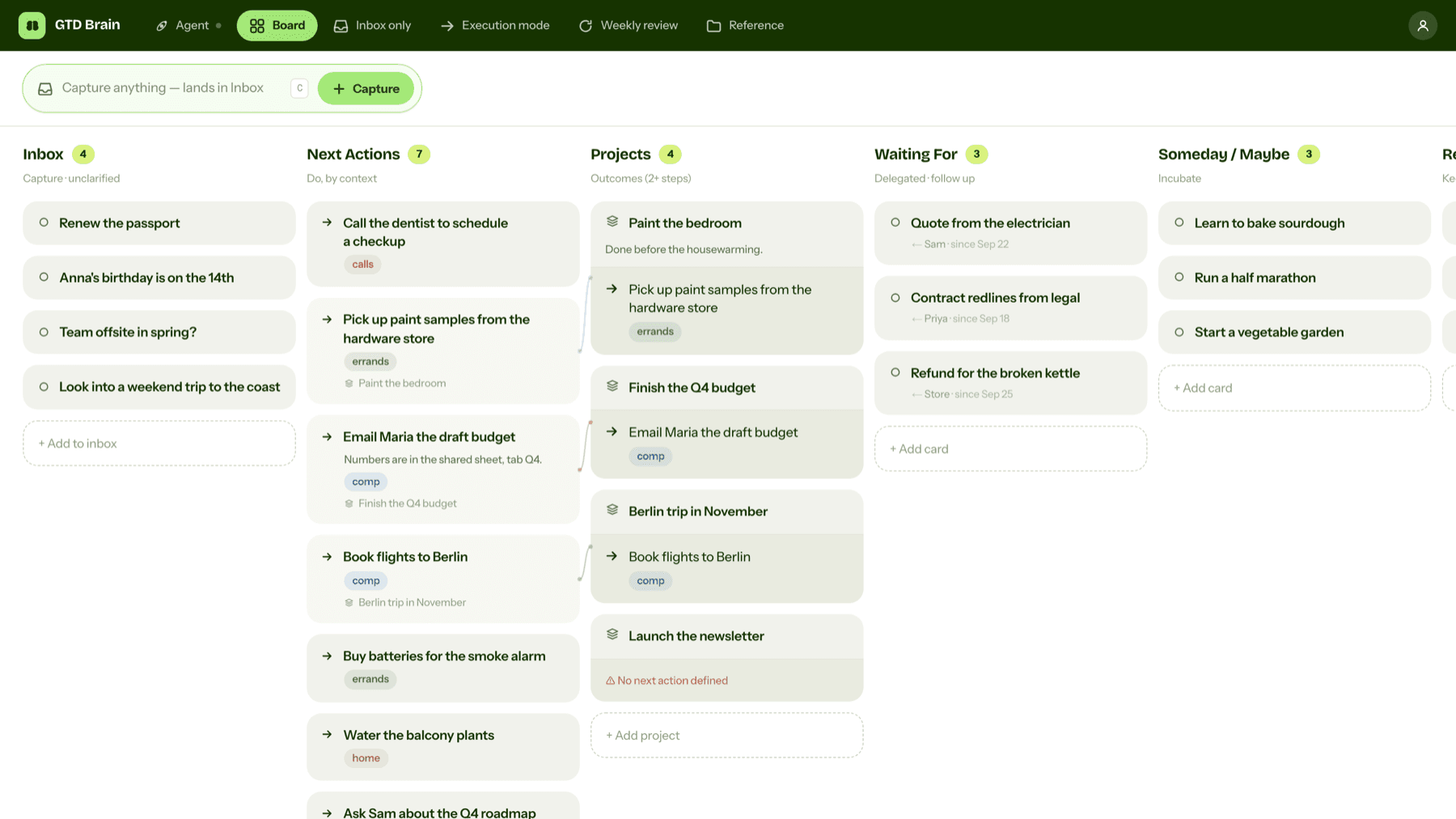
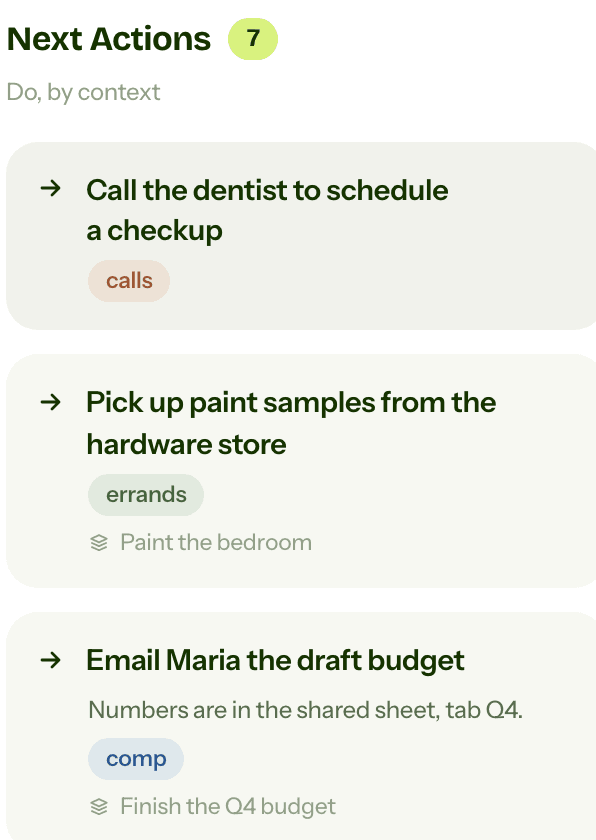
In GTD Brain, Next Actions is the second column of the board, right after the Inbox. A new board comes with six contexts (@calls, @computer, @errands, @desk, @home and @office), and you can add or rename contexts by asking a connected assistant.
On the web
Open a card to set its context and link it to a project. To work from one context, type @ in the search box at the top of the board and pick a context, for example @errands. The board then shows only the cards with that context. Open a project to add its next action from inside it, and the board flags any project that has none. The weekly review goes through Next Actions one card at a time.
On Android and iPhone
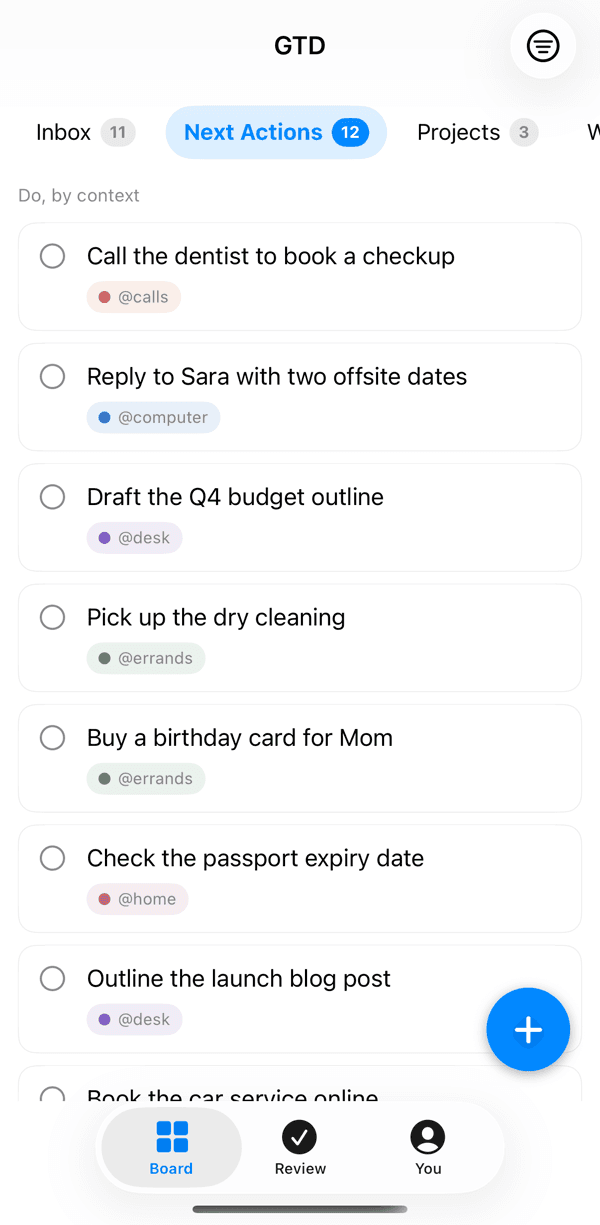
Next Actions is a tab on the board, with a count, and each card shows its context. The button at the top right opens a search box with a row of contexts. Tap @errands on the way to the shops and you see only those cards.
In Claude and ChatGPT
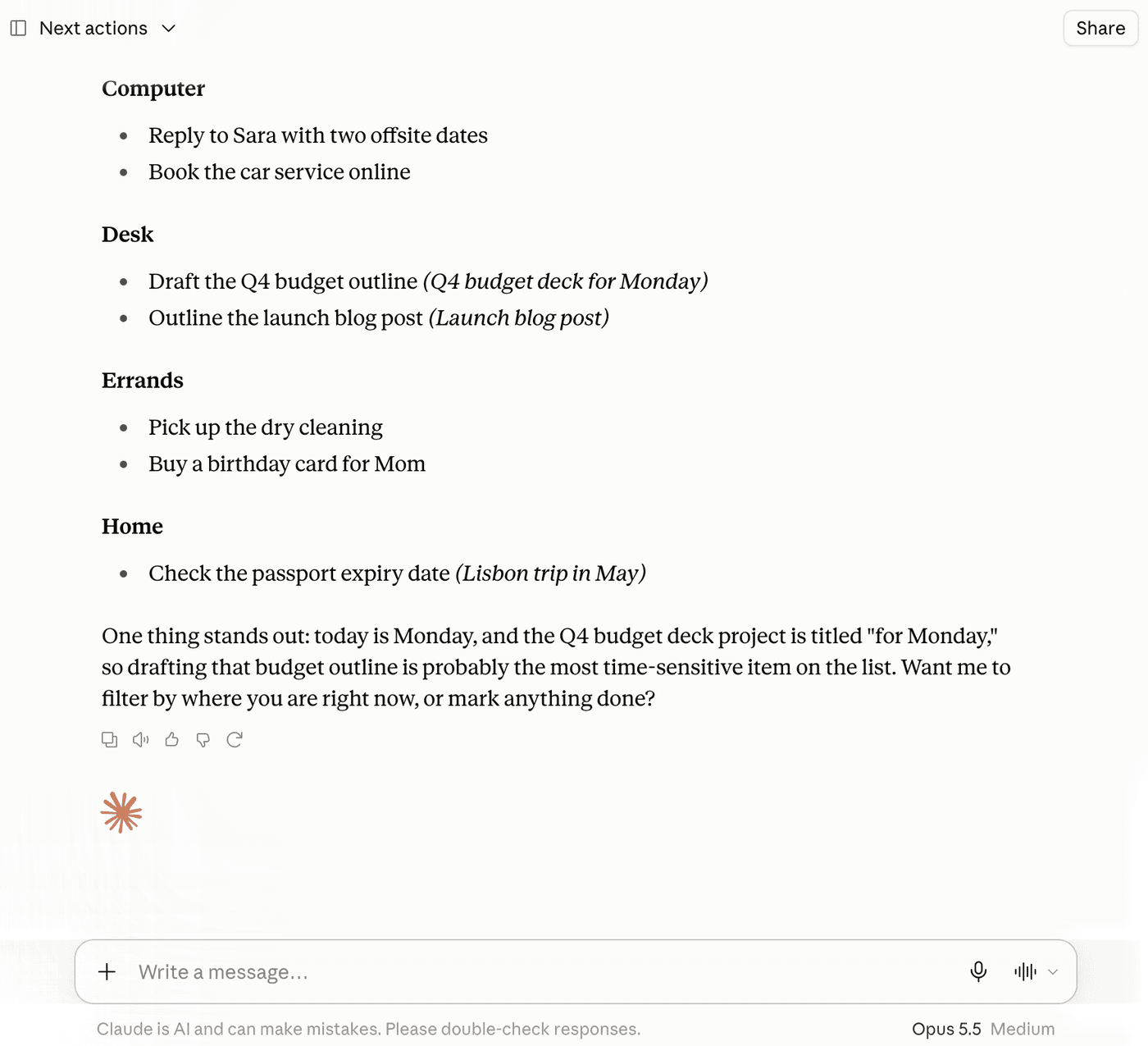
With GTD Brain connected, ask “What are my next actions?” and the assistant reads them from your board. You can also ask for one context only, or which projects have no next action. The Claude guide and the ChatGPT guide show the setup.
If you want the method without the workarounds
Everything above is real GTD, and plenty of people run it in a to-do app for years. I built GTD Brain for the parts that keep breaking: it is a board with the GTD lists built in (Inbox, Next Actions with contexts, Projects, Waiting For, Someday), a built-in agent that clarifies your inbox into next actions, and a guided weekly review that walks you through the whole board card by card. The same board is on the iPhone app, the Android app and the web, and you can talk to it from ChatGPT, Claude and other assistants through the assistant connections.
You sign in with an email code, no password. The yearly plan starts with a free month and you can cancel before it bills. If you have read this far, you already know how the lists work, so the setup takes about two minutes: sign in at gtdbrain.com and do your first brain dump into the inbox.
Questions people ask
What is a next action in GTD?
A next action is the very next physical, visible step that moves something forward, written so you could start it without more thinking. "Call the dentist to book a checkup" is a next action, while "dentist" is not. Each one goes on the Next Actions list with a context such as @calls or @errands.
What is the difference between a next action and a project?
A project is any outcome that needs more than one step, such as "Paint the bedroom". A next action is one step you can do now, such as "Pick up paint samples from the hardware store". The project goes on the Projects list, and only its next step goes on Next Actions.
What are contexts in GTD?
A context says where you are or what you need to do an action, such as @calls, @computer, @errands or @home. Tagging each next action with one lets you see only what you can do right now: when you are out, you look at @errands and skip everything that needs a desk.
How often should you review your next actions?
Look at the list whenever you have time to do something, and go through it properly once a week in the weekly review. There you cross off what is done, drop what no longer matters, and check that every active project still has at least one next action.
Start free for a month →No charge for your first month · Cancel anytime