A Nirvana alternative for GTD: a simple app built for Getting Things Done
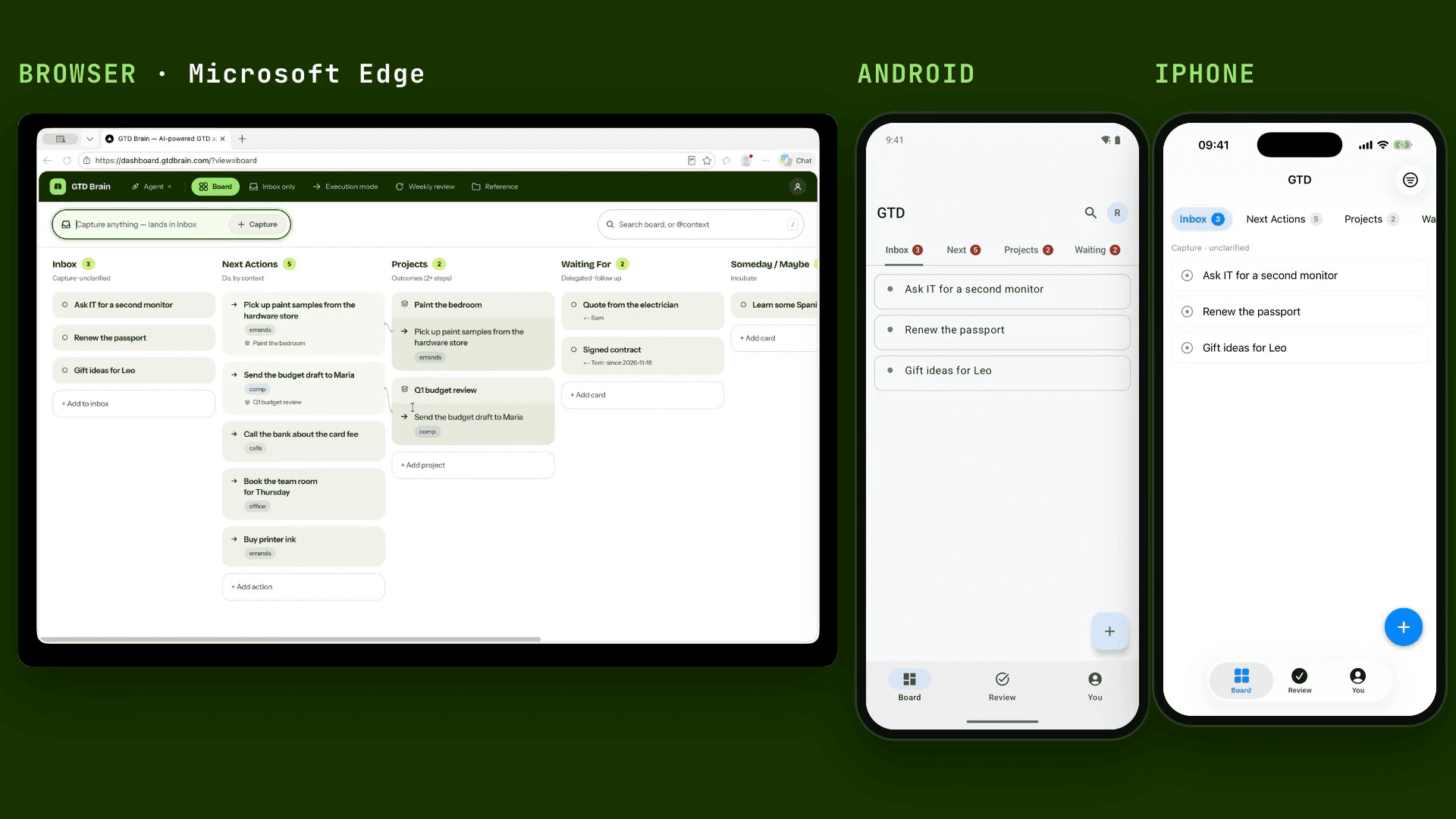
GTD Brain is a simple app designed for running GTD. Your whole system on one board, capture into the Inbox, the same cards on Android and iPhone, and your board inside ChatGPT and Claude.
On this page
Looking for a Nirvana alternative for GTD? GTD Brain is a simple app designed for running GTD (Getting Things Done). It works on the web, on iOS and Android, and in ChatGPT and Claude, among others, all on one account. We have not tested Nirvana ourselves, so this page does not compare the two. It shows what GTD Brain does, and lists what Nirvana says about itself so you can check both.
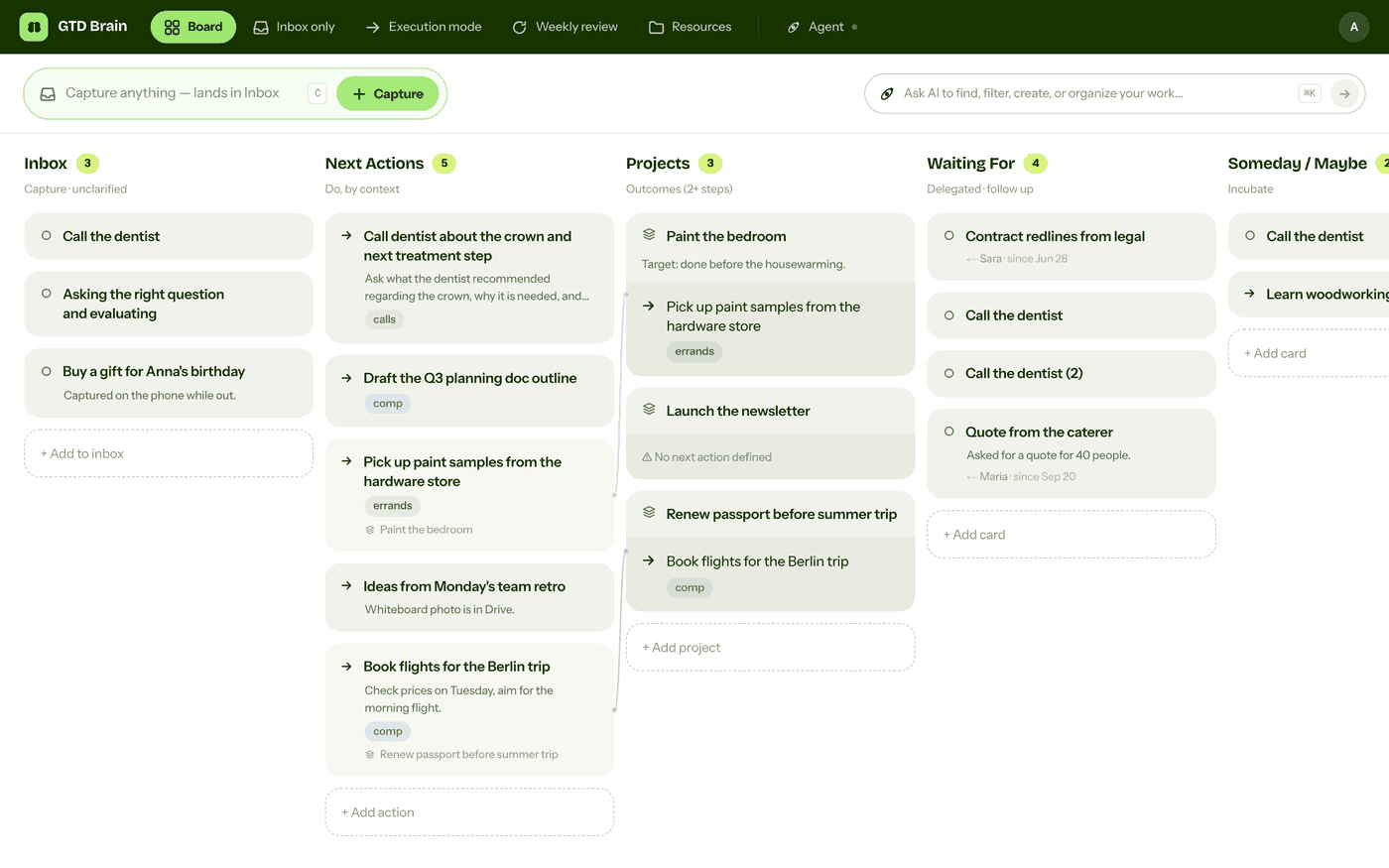
Your whole GTD system on one board
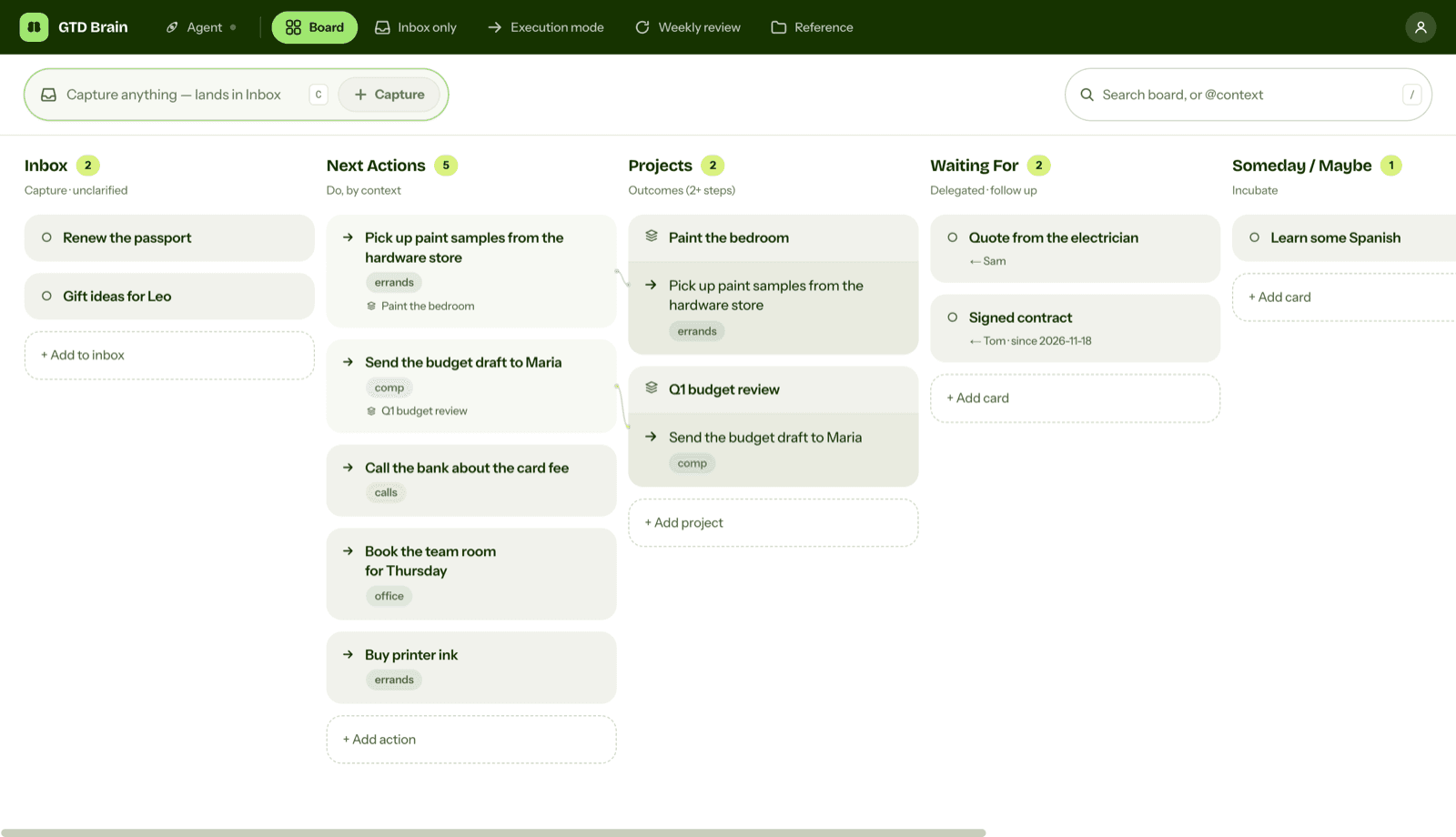
The board has one column for each list in the method: Inbox, Next Actions (grouped by context, such as errands or calls), Projects, Waiting For and Someday/Maybe. Next actions that belong to a project are shown under it, so you can see which project each one moves forward. The weekly review is one click away in the top bar.
Type a thought, and it lands in the Inbox
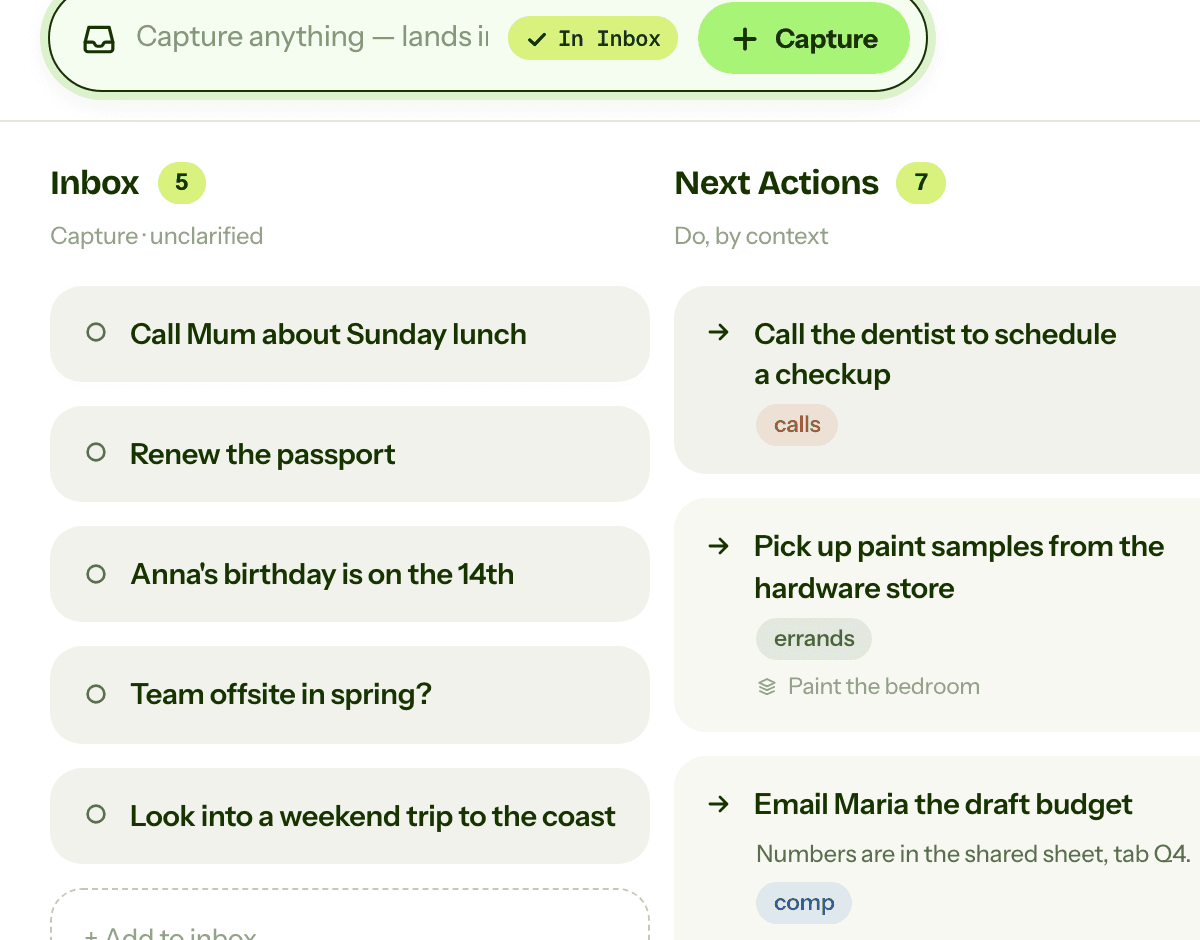
Capture is the first step of GTD, so it is the box at the top left of the board. Type the thought and press Enter. It goes to the Inbox with no questions asked. You decide later what it is: a next action, a project, a Waiting For card, or something to drop. The Inbox guide covers that step.
The same card on your phone, a moment later
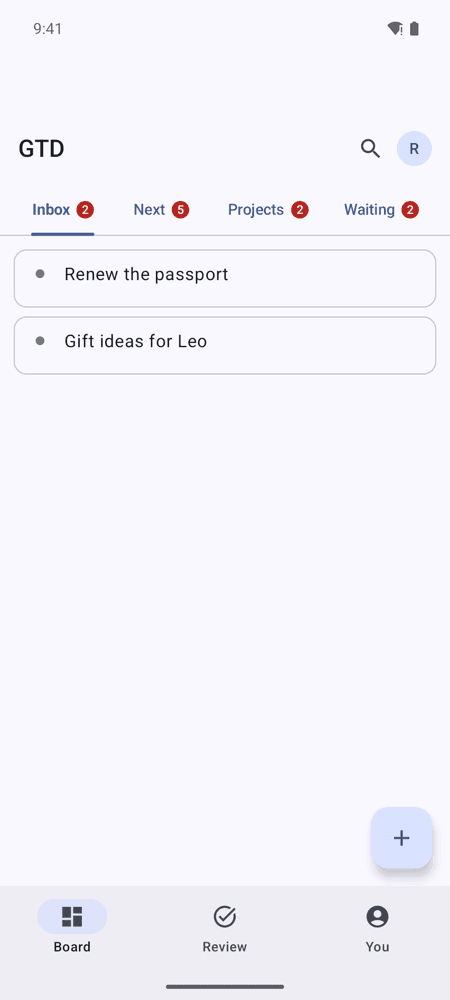
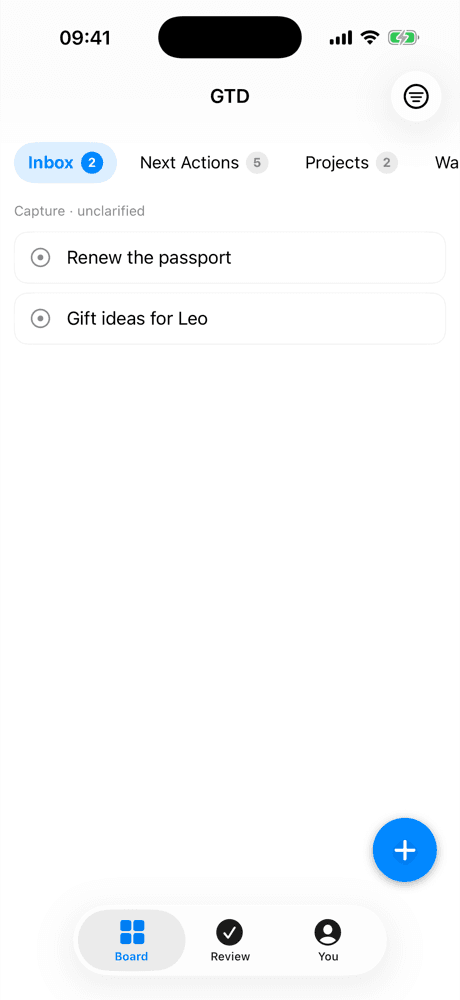
There is one board per account. A card you add in the browser shows up in the Android app and the iPhone app almost instantly, and the other way round. Here is the Inbox in both apps (the Android app on the left, iPhone on the right).
Inside ChatGPT and Claude
You can also work with your board from ChatGPT and Claude: capture a thought, ask what is in your Inbox, or have the assistant help you sort it. Setup is a few clicks in each, and both guides walk through it: GTD in ChatGPT and GTD in Claude. Other places are listed on the connections page.
Where GTD Brain runs
- Web: in any modern browser. There is no separate Mac or Windows app.
- iOS: the iPhone app.
- Android: the Android app.
- ChatGPT and Claude: your board inside the assistant.
- Others: see the connections page.
You sign in with an email code, so there is no password to set.
What Nirvana lists
So you can compare from the source: as of 21 November 2026, Nirvana’s apps page lists Mac, Windows, iPhone, iPad, Android and a web browser version, and its connector page offers a connector for Claude and ChatGPT. If you need a native Mac or Windows app, that is a difference worth knowing about, since GTD Brain is used in the browser on those.
Nirvana is a trademark of its owner. GTD® and Getting Things Done® are trademarks of the David Allen Company. GTD Brain is made by Minosin AB - Sweden, and is not affiliated with or endorsed by either company.
Questions people ask
What is a good Nirvana alternative for GTD?
GTD Brain is one option. It is a simple app designed for running GTD (Getting Things Done), with Inbox, Next Actions, Projects, Waiting For and Someday/Maybe on one board and a weekly review one click away. It works on the web, iOS, Android, ChatGPT and Claude, among others. We have not tested Nirvana, so we make no claim about which is better.
Does GTD Brain have a Mac or Windows app?
No. On a Mac or a Windows PC you use GTD Brain in the browser, with nothing to install. Sign-in is an email code, not a password. Your board is the same in the iPhone and Android apps, and you can also use it inside ChatGPT and Claude.
Does GTD Brain work with ChatGPT and Claude?
Yes. In ChatGPT and Claude you can capture a thought into your Inbox, ask what is on your board, and get help sorting it. It is the same account and the same board as the web, iPhone and Android apps, so a card added in an assistant shows up everywhere else.
Can I import my tasks from Nirvana into GTD Brain?
There is no import. The simplest way across is a brain dump: write what is in your Nirvana lists into the GTD Brain Inbox, then clarify each item into a next action, a project or a Waiting For card.
Start free for a month →No charge for your first month · Cancel anytime