What is a project in GTD? Outcomes, next actions and review
A project in Getting Things Done is any result that takes more than one step. How to write one, what stays off the list, how projects come out of the Inbox with a next action, and how the weekly review keeps them moving.
Start free for a month →No charge for your first month · Cancel anytime
On this page
In GTD (Getting Things Done), a project is any outcome you want that takes more than one step. “Paint the bedroom” is a project. So is “Berlin trip in November” or “Finish the Q4 budget”. The Projects list holds one line for each of them, written as the finished result. You don't do anything from that list. It reminds you what you have said yes to, so that each one keeps a next action on your Next Actions list.
What counts as a project
David Allen's rule is simple: if it needs two or more actions, it's a project. That makes the list longer than most people expect. “Get the car serviced” sounds like one task, but it means calling the garage, booking a slot and dropping the car off. In GTD that is a project.
Write each project as the outcome, so you know when it's done:
- “Bedroom painted” rather than “bedroom”
- “Lisbon trip in May booked” rather than “Lisbon”
- “Q4 budget deck sent to Maria” rather than “budget”
What doesn't belong on it
The steps themselves stay off the Projects list. They go on Next Actions, one at a time, or in the project's notes if you want to plan ahead. Single actions like “call the dentist” don't belong either. Neither do ideas you might start one day: those go to Someday/Maybe until you commit to them. Areas you keep looking after, like “health” or “finances”, never finish, so they aren't projects.
From the Inbox to Projects
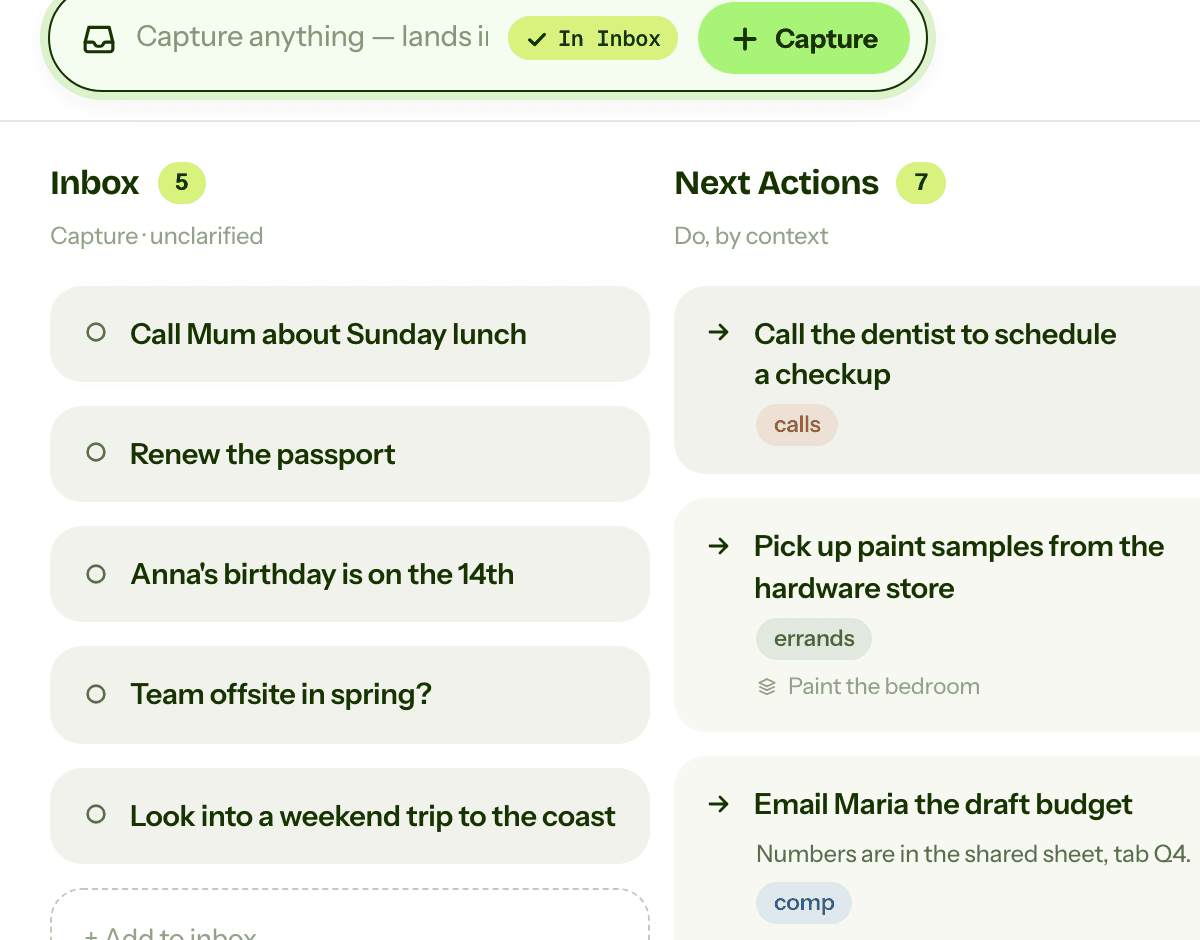
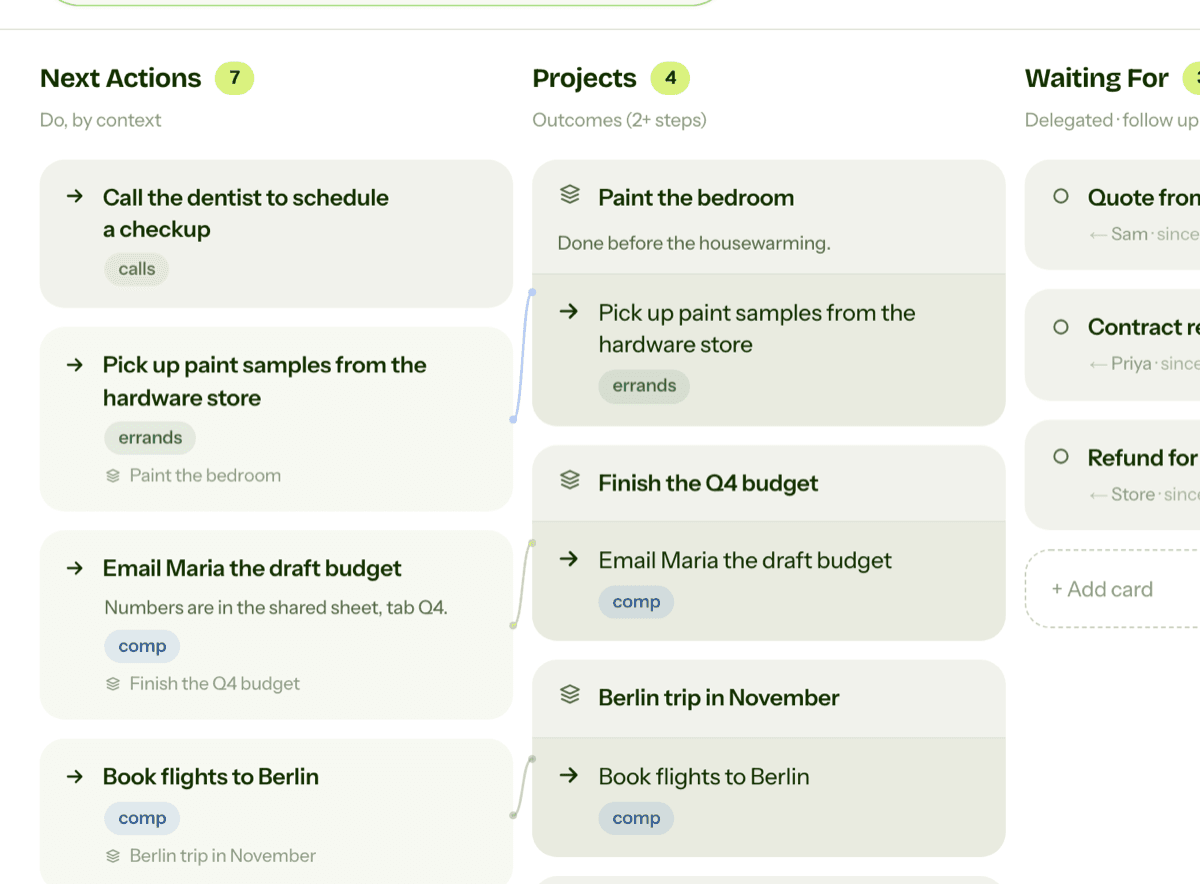
Projects mostly start as rough captures in the Inbox. When you clarify an item and see that it needs several steps, you do two things. You add the outcome to Projects, and you write its first physical step (“Pick up paint samples from the hardware store”) on Next Actions with a context such as @errands.
The second part is the one people skip. A project with no next action just sits there. You look at it, feel a bit guilty, and move on. GTD's rule is that every active project has at least one next action at all times.
Reviewing your projects
Once a week, in the weekly review, go through the list one project at a time. Is it still something you want? Has it moved since last week? Does it have a next action, and is that still the right one? Mark finished projects done. Move the ones you've lost interest in to Someday/Maybe, so the list only holds what you are really working on.
This is the “Get Current” part of the review, after you have emptied the Inbox. It usually takes a few minutes, and it is how projects keep moving between reviews.
Projects in GTD Brain
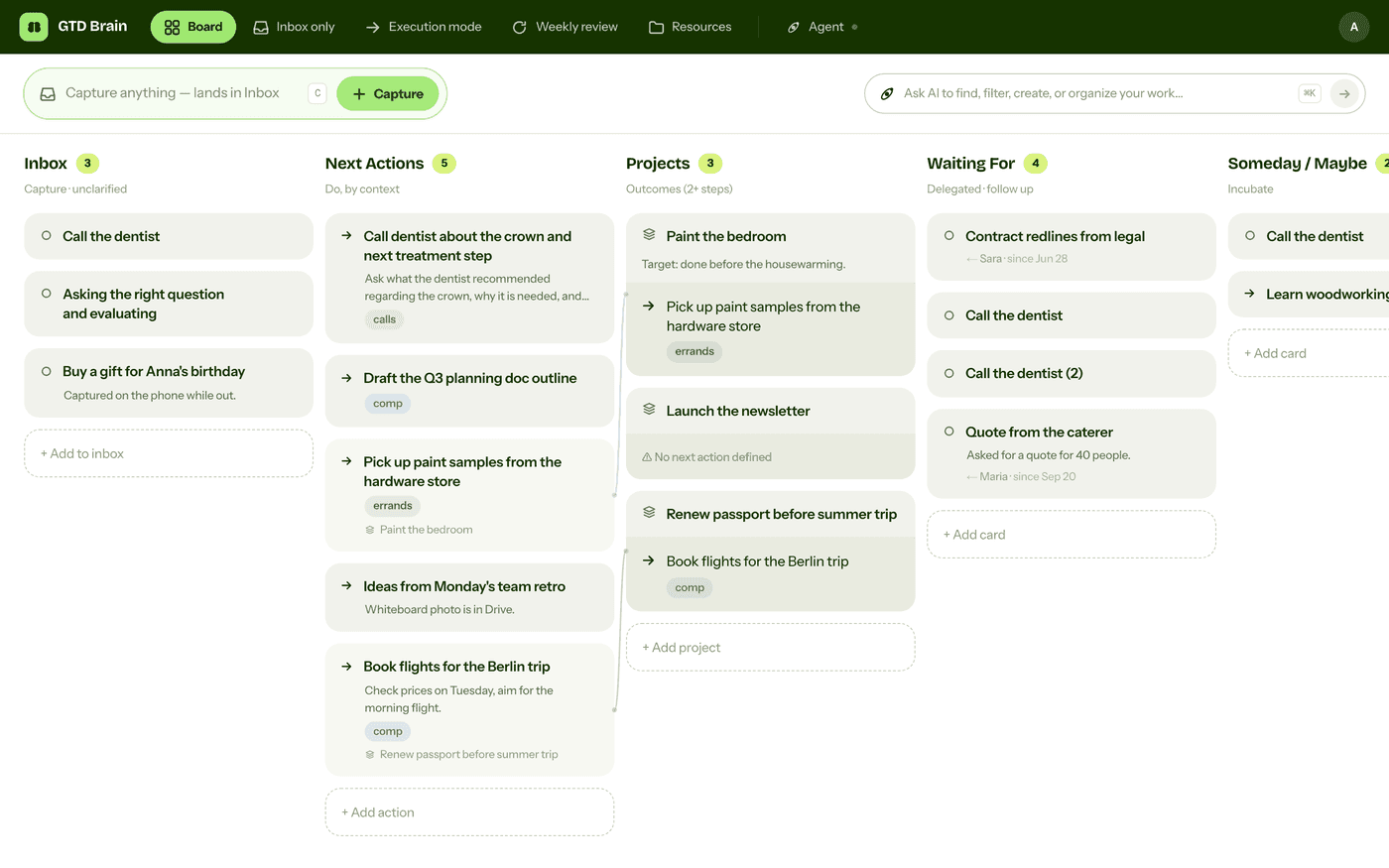
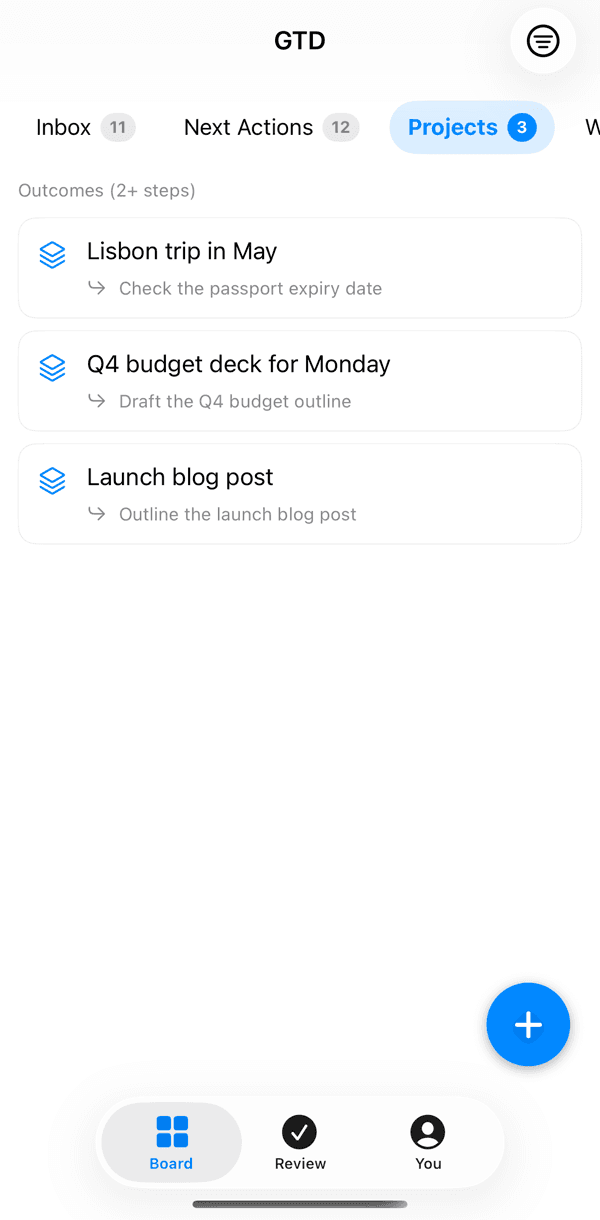
GTD Brainhas Projects as its own column, labelled “Outcomes (2+ steps)”, and links each next action to its project.
On the web
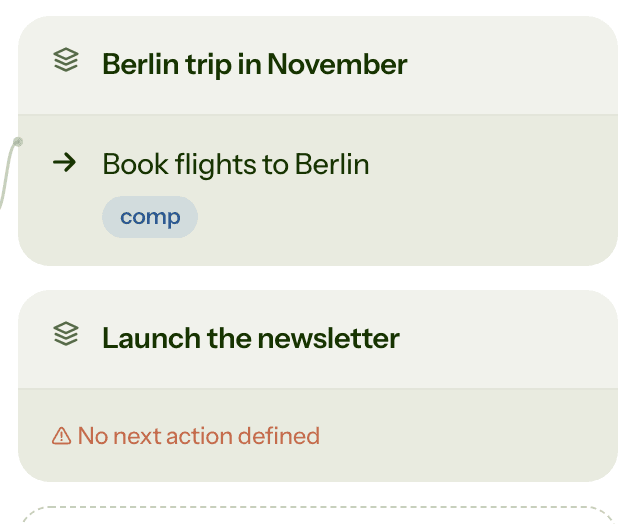
Each project card shows its next action underneath. If no action in Next Actions is linked to it, the card says “No next action defined”. Click a project to see its pinned next action, or press “+ Add next action” to write one there. When you clarify an Inbox card into an action, you pick its project from the same editor, and the action then shows the project's name.
On iPhone and Android
Projects is a tab on the board, with each project's next action listed under it, so you can check your projects while you're out.
In the weekly review
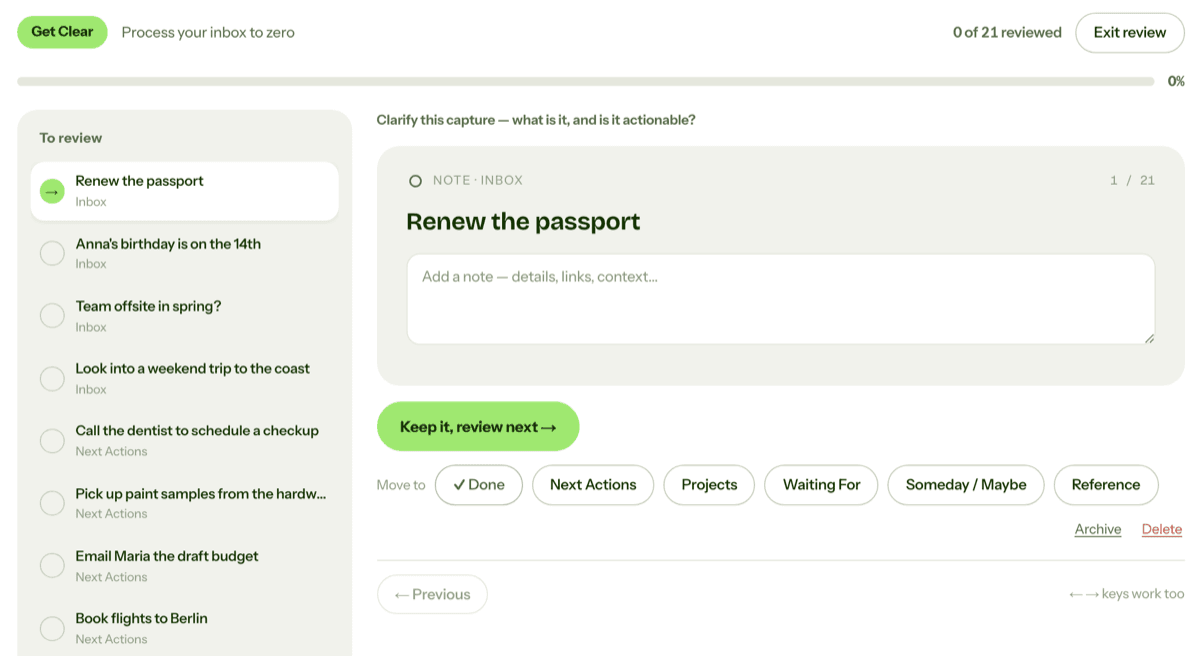
The review in GTD Brain takes you through your projects one card at a time. A project with a next action asks you to confirm it is still moving. A project without one gets a warning that it has no next action.
You can also ask an AI assistant connected to GTD Brain, such as ChatGPT or Claude, to list your projects or to find the ones with no next action, and then add the missing steps together.
If you want the method without the workarounds
Everything above is real GTD, and plenty of people run it in a notes app for years. I built GTD Brain for the parts that keep breaking: it is a board with the GTD lists built in (Inbox, Next Actions with contexts, Projects, Waiting For, Someday), a built-in agent that clarifies your inbox into next actions, and a guided weekly review that walks you through the whole board card by card. The same board is on the iPhone app, the Android app and the web, and you can talk to it from ChatGPT, Claude and other assistants through the assistant connections.
You sign in with an email code, no password. The yearly plan starts with a free month and you can cancel before it bills. If you have read this far, you already know how the lists work, so the setup takes about two minutes: sign in at gtdbrain.com and do your first brain dump into the inbox.
Questions people ask
What is a project in GTD?
In Getting Things Done, a project is any outcome you are committed to that needs two or more actions to finish. Getting the car serviced, planning a trip and launching a newsletter are all projects. You write each one as the finished result on your Projects list and keep at least one next action for it on your Next Actions list.
Does every GTD project need a next action?
Yes. Every active project should have at least one next action on your Next Actions list, the very next physical step you can take. A project without one tends to stall, because nothing reminds you to move it. The weekly review is where you check each project and add a next action to any that is missing one.
What is the difference between a project and a next action in GTD?
A project is the outcome, such as bedroom painted. A next action is one concrete step towards it, such as picking up paint samples from the hardware store. You cannot do a project directly, only its actions. That is why the Projects list is for review, and the Next Actions list, sorted by context, is the list you work from.
How often should you review your GTD projects?
Once a week, during the weekly review. After you empty the Inbox, go through each project and ask whether you still want it, whether it moved, and whether its next action is still right. Mark finished projects done and move the ones you have stopped caring about to Someday/Maybe.
Start free for a month →No charge for your first month · Cancel anytime