Notion too complicated for GTD? Start with the lists already built
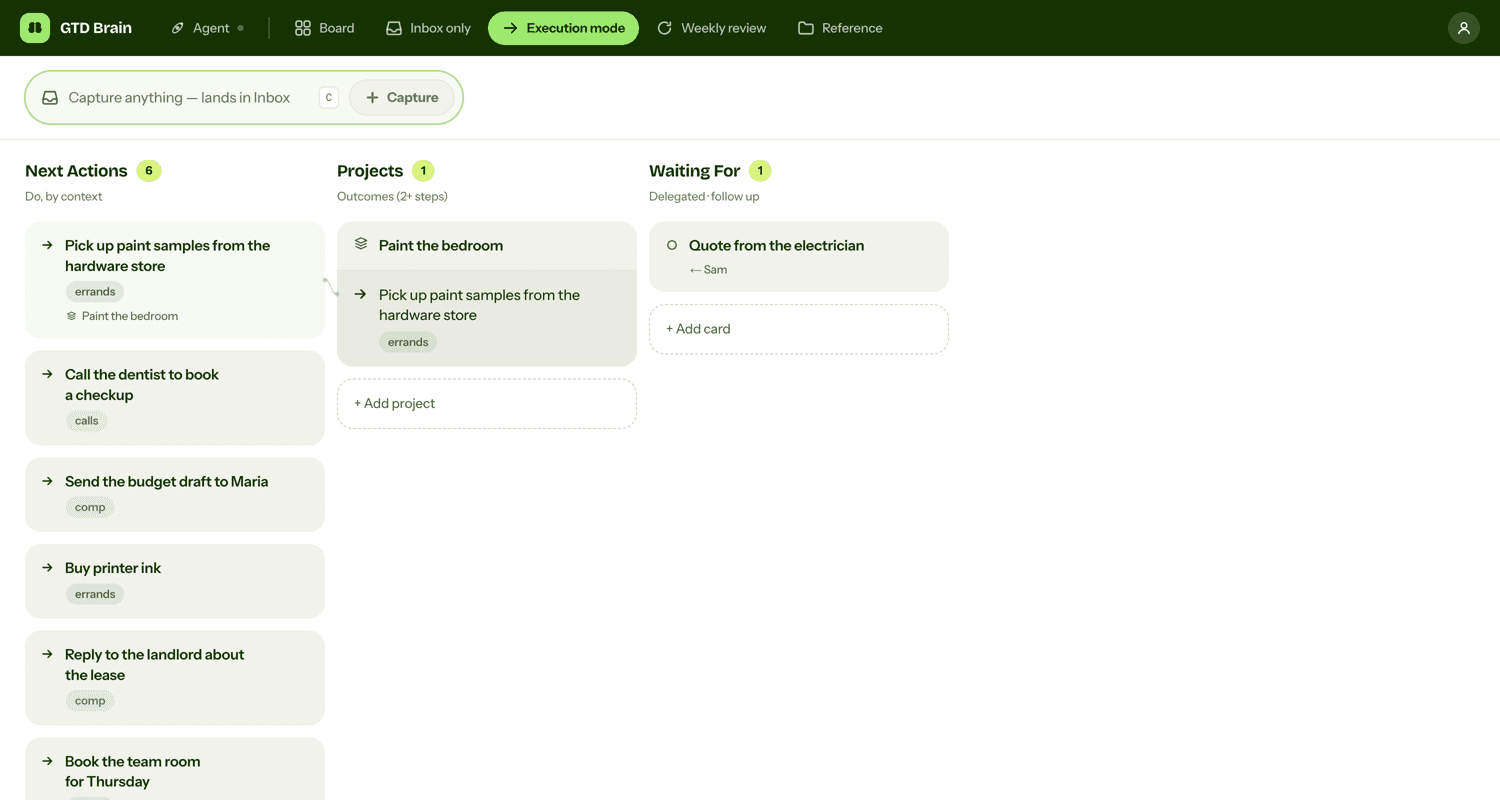
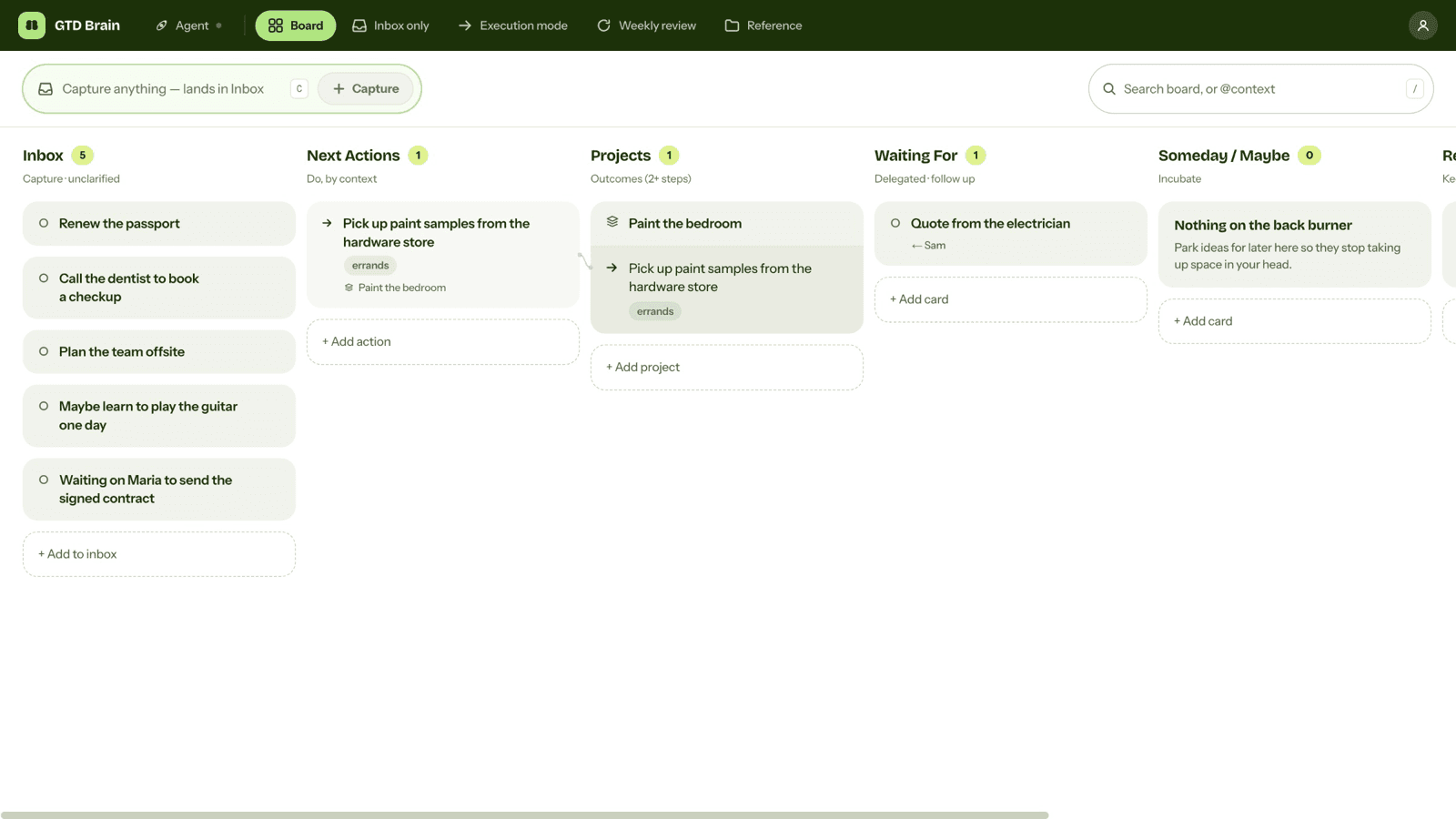
GTD Brain opens with the six GTD lists already built. Type a thought into the Inbox, then ask the Agent to clarify it: it shows a plan first and files the cards when you say yes.
On this page
If Notion feels too complicated, the problem is usually the setup. Before you capture a single thought, you design databases, properties and views, and then you keep them in shape. For GTD (Getting Things Done) you do not need to build any of that. In GTD Brain the six lists are already there when you sign in, and an Agent can sort your Inbox for you.
The six GTD lists are ready on first login
A new GTD Brain account opens on a board with the lists the method uses: Inbox, Next Actions, Projects, Waiting For, Someday / Maybe and Reference. There is nothing to design and nothing to duplicate. You sign in with an email code, so there is no password either.
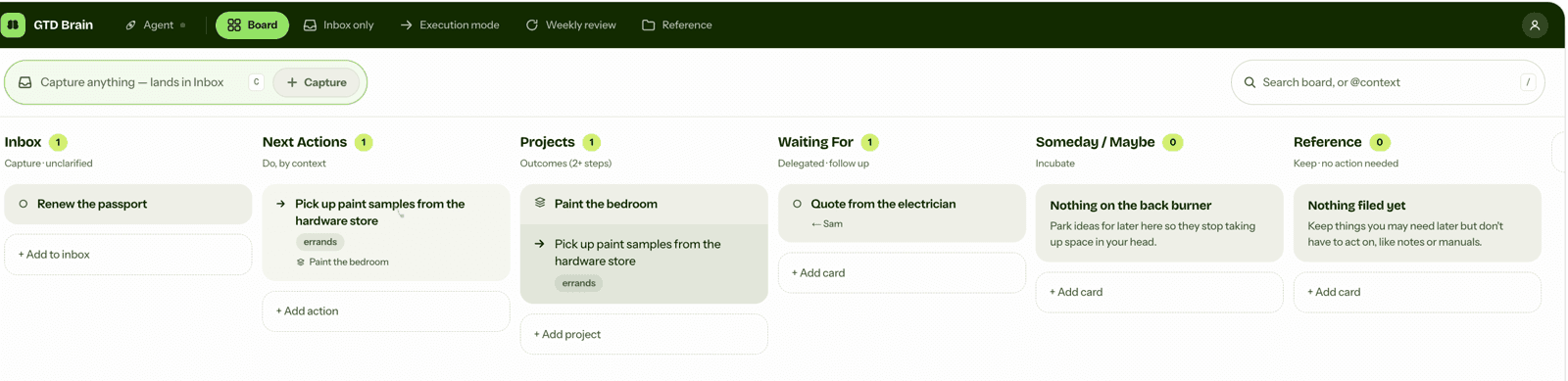
Type a thought, and it lands in the Inbox
The capture box sits at the top left of the board. Type the thought and press Enter. It goes to the Inbox with no questions asked: no list to pick, no fields to fill in. You decide later what it is. That is the first step of GTD, and it is meant to be quick.
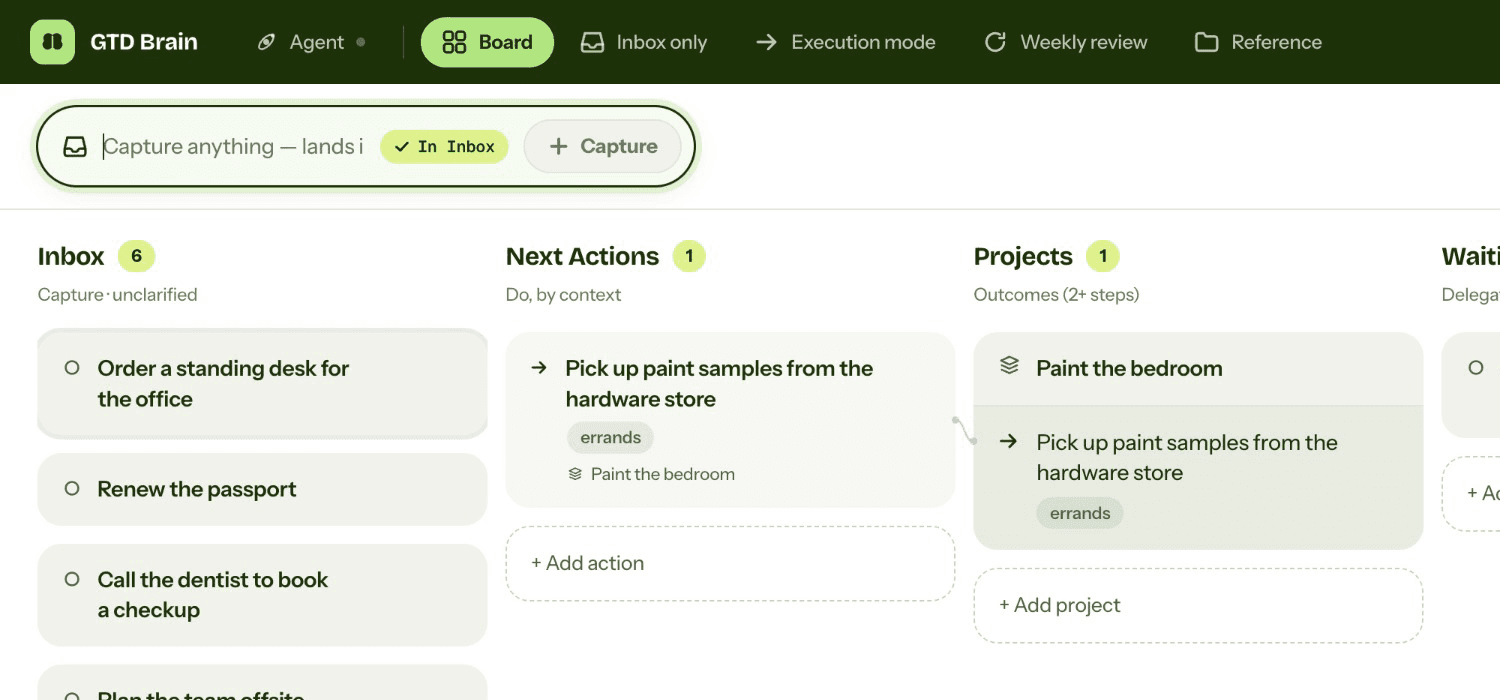
Ask the Agent to clarify your Inbox
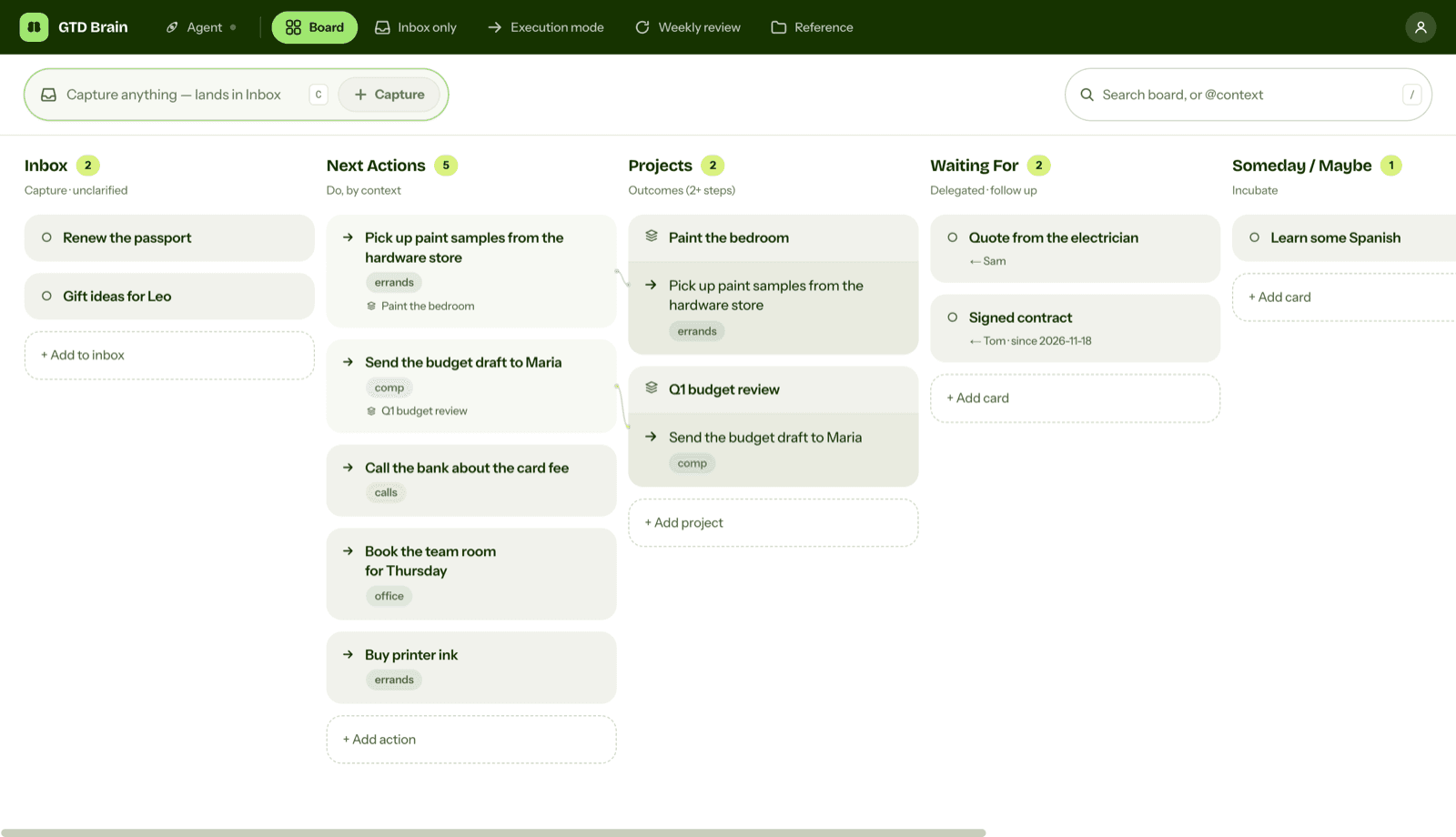
Sorting the Inbox is the step most people put off. In the web dashboard, open the Agent and type “Clarify my inbox”. It reads every card and writes a plan first: which cards become projects, which are next actions (with a context), which are Waiting For and which are Someday / Maybe. Nothing moves yet.
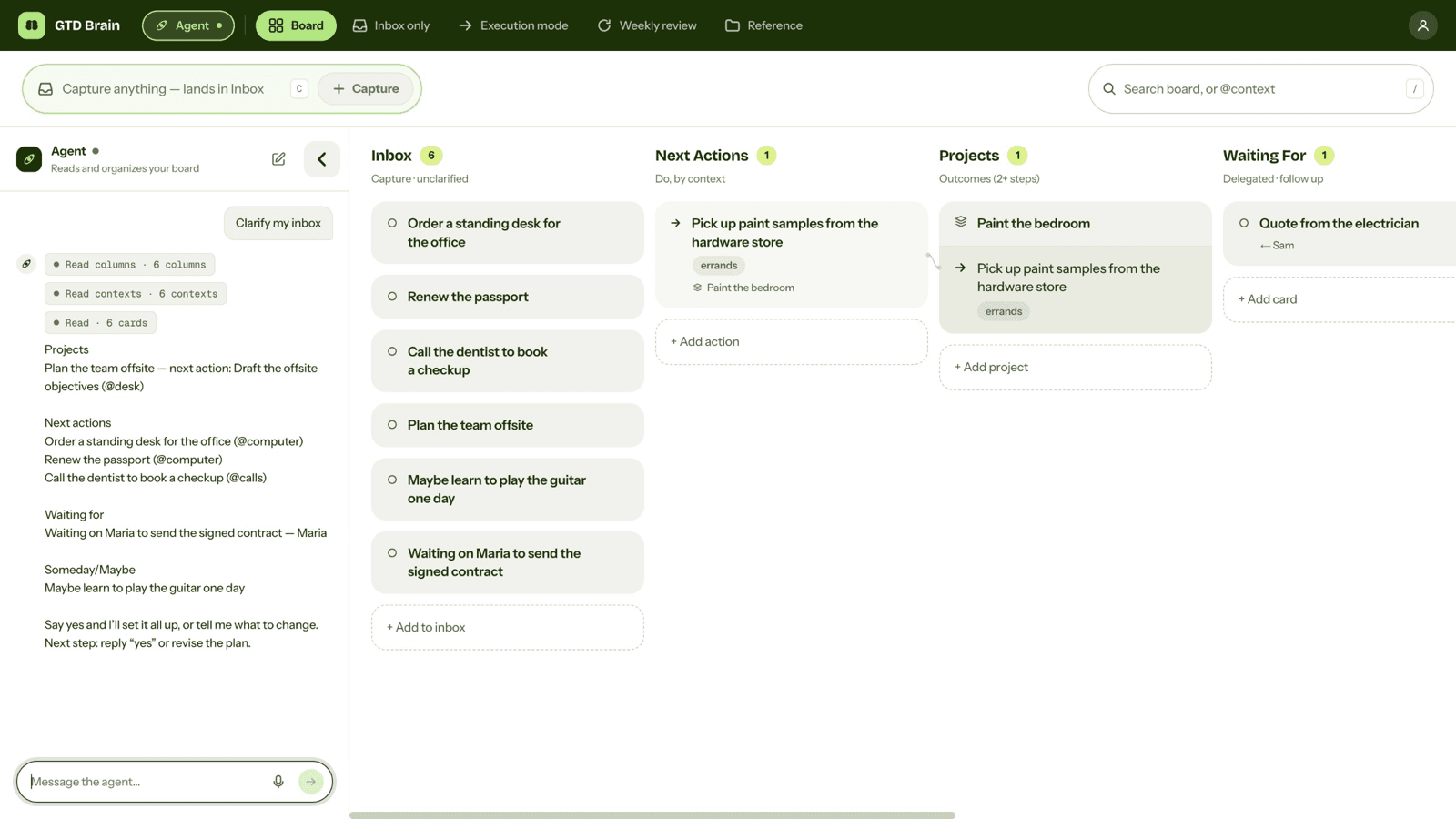
Read the plan. If you want something different, tell it what to change. When you say yes, it files the cards for you and puts contexts on the next actions. The Inbox ends up empty.
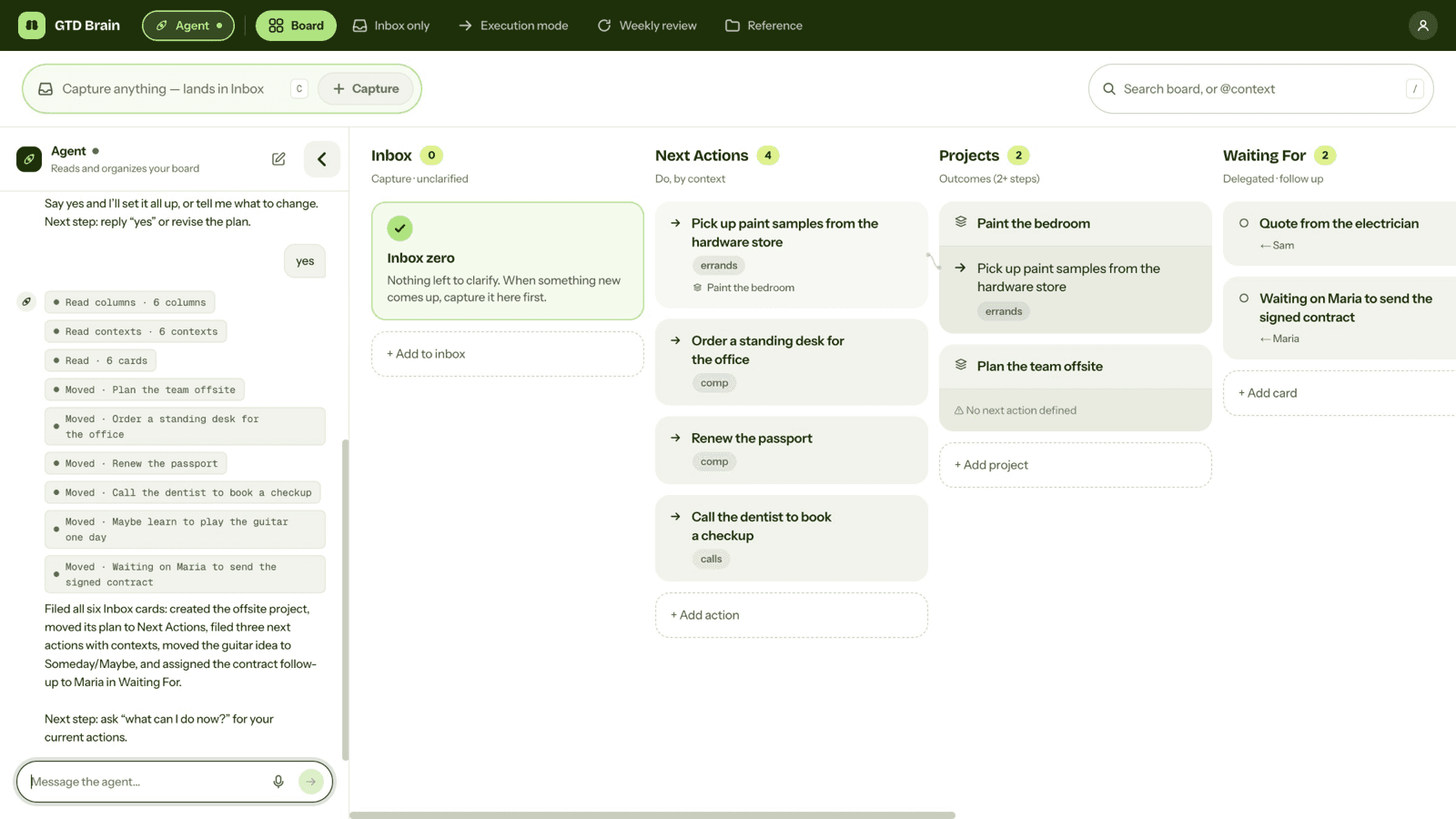
The Agent is a helper, not a replacement for your judgment. The plan is shown before anything is filed, so you stay in charge of where things go.
Where GTD Brain works
- Web: in any modern browser.
- iOS: the iPhone app.
- Android: the Android app.
- ChatGPT and Claude: your board inside the assistant. See GTD in ChatGPT and GTD in Claude.
- Others: see the connections page.
If you want to stay in Notion
Notion can run GTD if you set it up for that. Our guide to doing GTD in Notion shows how, with a free template. GTD Brain does not import from Notion. The simplest way across is a brain dump: write what is in your Notion lists into the Inbox, then ask the Agent to clarify it. If you are coming from another tool, the Things 3 for Windows post covers what runs where.
Notion is a trademark of Notion Labs, Inc. GTD® and Getting Things Done® are trademarks of the David Allen Company. GTD Brain is made by Minosin AB - Sweden, and is not affiliated with or endorsed by either company.
Questions people ask
What can I use if Notion is too complicated for GTD?
GTD Brain is one option. The six GTD lists (Inbox, Next Actions, Projects, Waiting For, Someday / Maybe and Reference) are already on the board when you first sign in, so there is nothing to build. It works on the web, iOS, Android, ChatGPT and Claude, among others.
Does GTD Brain have templates to set up?
No. The six GTD lists come with every new account, so there is no template to find, duplicate or set up. You type a thought into the capture box and it lands in the Inbox, with no list or fields to choose. You decide later where it goes.
How does the GTD Brain Agent clarify my Inbox?
In the web dashboard, open the Agent and ask it to clarify your Inbox. It reads every card and shows a plan first: projects, next actions with contexts, Waiting For and Someday / Maybe. When you say yes, it files the cards and the Inbox is empty. You can ask for changes to the plan before that.
Can I import my Notion tasks into GTD Brain?
There is no import. The simplest way across is a brain dump: write what is in your Notion lists into the GTD Brain Inbox, then ask the Agent to clarify it. It shows a plan first and files the cards when you say yes, so you also get to drop anything you no longer care about.
Start free for a month →No charge for your first month · Cancel anytime